
How to set up Facebook Ad Reporting
Facebook Ad Reporting helps track which campaigns, ad sets, and ads are generating leads. For more accurate attribution, it is recommended to use Facebook UTM parameters along with pixel and conversion tracking where applicable.
Table of Contents
Section titled “Table of Contents”- Overview
- Before You Begin
- Supported Entry Points
- Available Attribution Fields
- How to Label Campaigns Correctly
- How to Add UTM Parameters in Ads Manager
- Attribution Reporting Notes
- Troubleshooting
Overview
Section titled “Overview”When Facebook Ads are running, the platform attempts to attribute the ad and ad set that generated the lead. For better reporting and clearer campaign analysis, use UTM parameters and proper ad naming conventions.
Before You Begin
Section titled “Before You Begin”Before setting up Facebook Ad Reporting, review these notes:
- If traffic is being sent to a landing page, set up your Facebook pixel and conversion tracking in workflows
- Facebook does not show UTM parameters when you preview an ad
- Do not use special characters or emojis in tracked parameters
- First attribution data is only available for supported entry points
Supported Entry Points
Section titled “Supported Entry Points”First attribution data is recorded for contacts coming from these entry points:
- Form submissions
- Survey submissions
- Calendar bookings
- Facebook lead forms
- Two-step order forms
- Chat widget interactions
- Inbound click-to-call scenarios
Available Attribution Fields
Section titled “Available Attribution Fields”The following values are available on the contact level:
- Source
- Campaign Name
- Ad Set Name
- Ad Name
- Campaign ID
- fbclid
- gclid
- Referrer
How to Label Campaigns Correctly
Section titled “How to Label Campaigns Correctly”For accurate reporting:
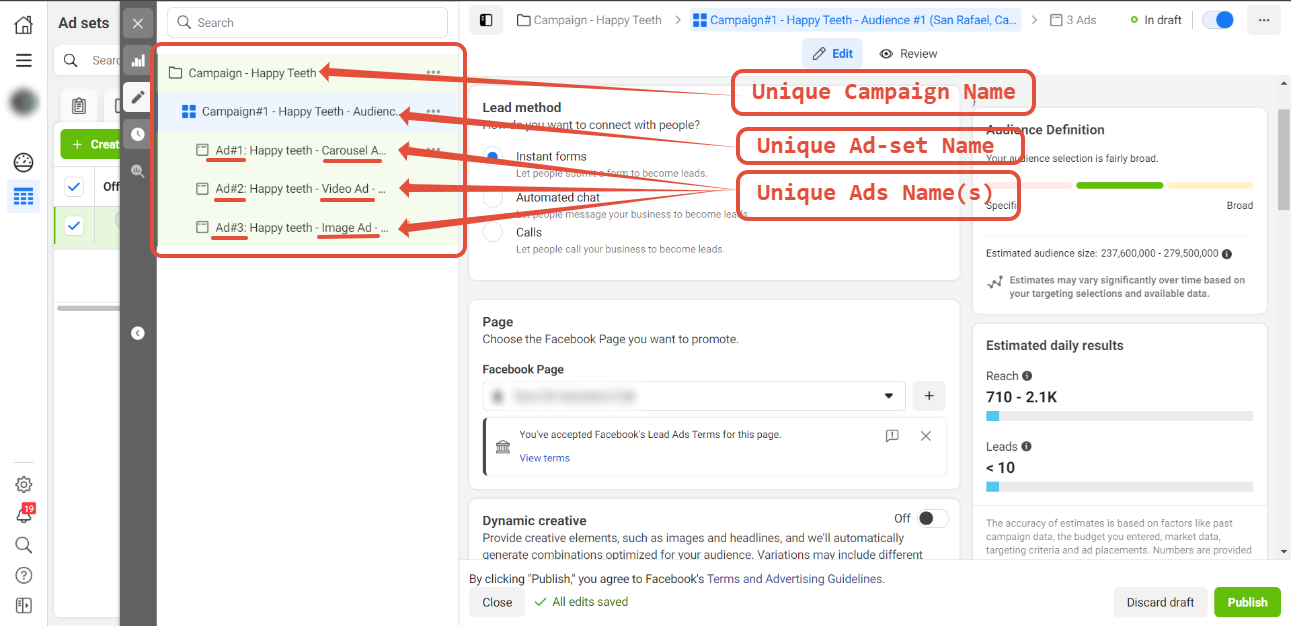
- Campaign names, ad sets, and ads must be unique
- Name parameters should not be changed during the lifetime of a campaign, ad set, or ad
- If a name must change, create a new campaign, ad set, or ad instead of editing the original
Example structure:
- Campaign Name: Campaign - Happy Teeth
- Ad Set: Campaign#1 - Happy Teeth - Audience #1
- Ads:
- Ad#1: Happy Teeth - Carousel Ad - Audience #1
- Ad#2: Happy Teeth - Video Ad - Audience #1
- Ad#3: Happy Teeth - Image Ad - Audience #1
How to Add UTM Parameters in Ads Manager
Section titled “How to Add UTM Parameters in Ads Manager”- Open Ads Manager
- Select the campaign you want to update
- Go to Manage Ads > Ads > Edit
- Scroll to the Tracking section
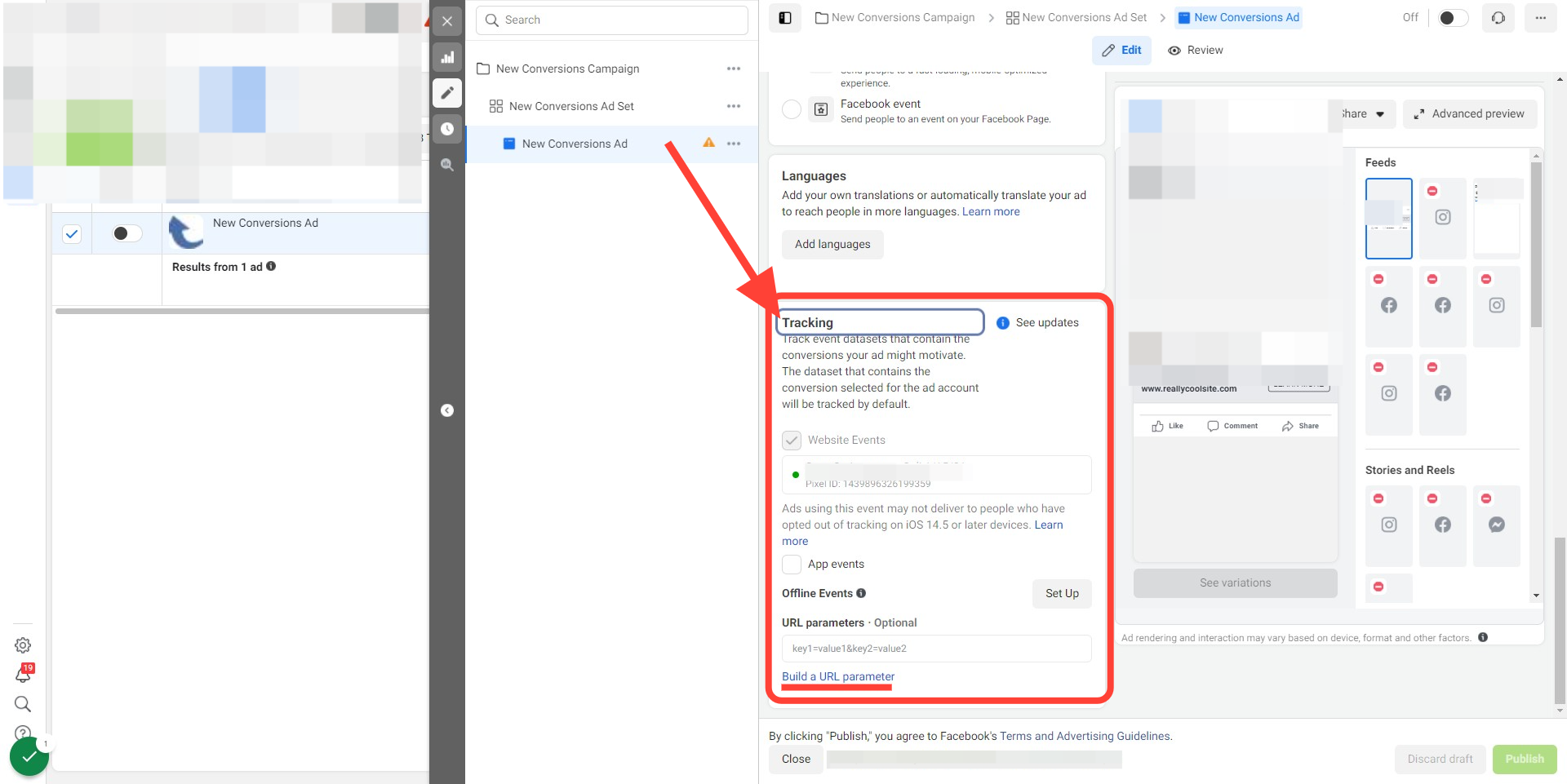
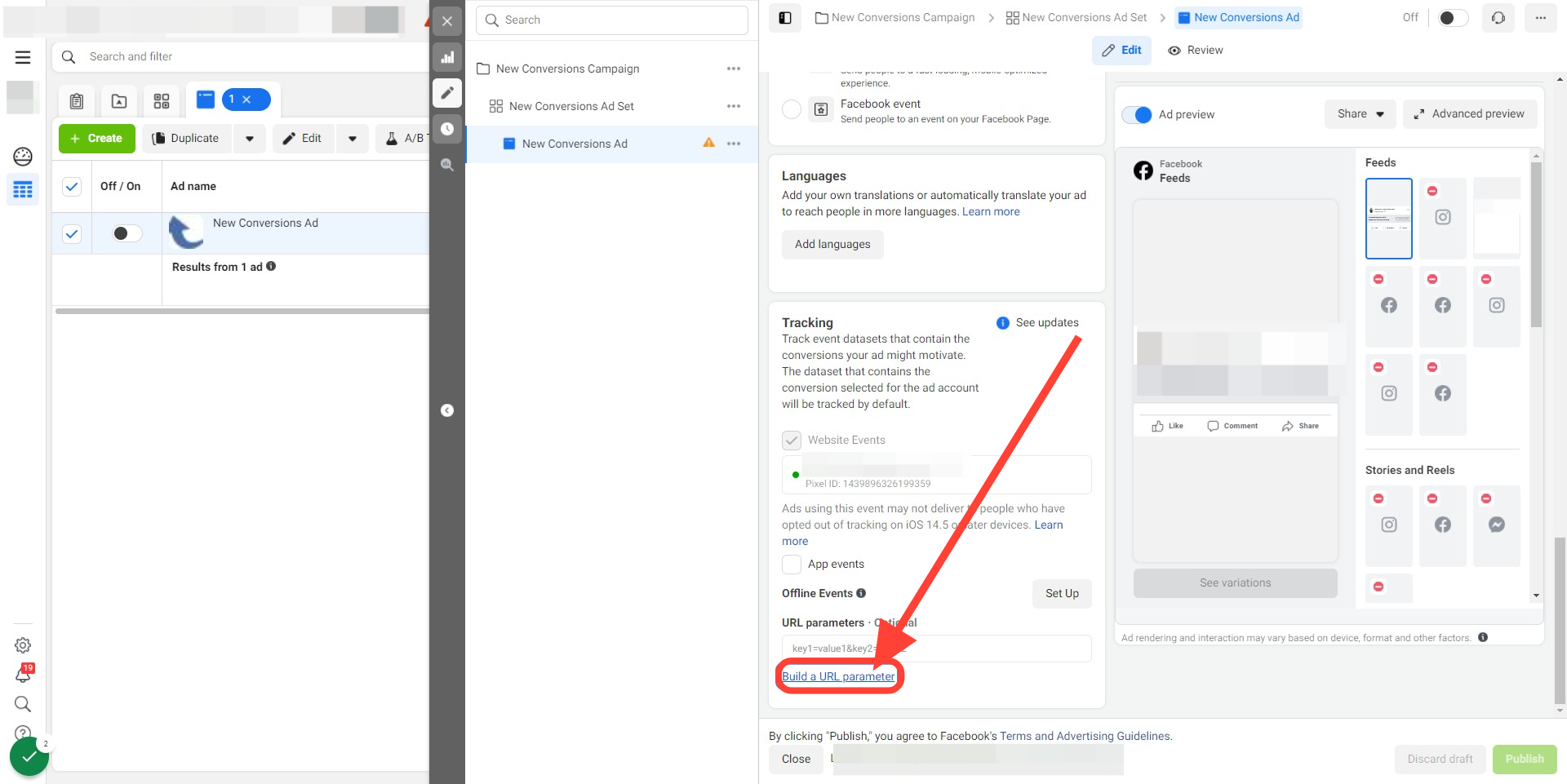
- Click Build a URL Parameter
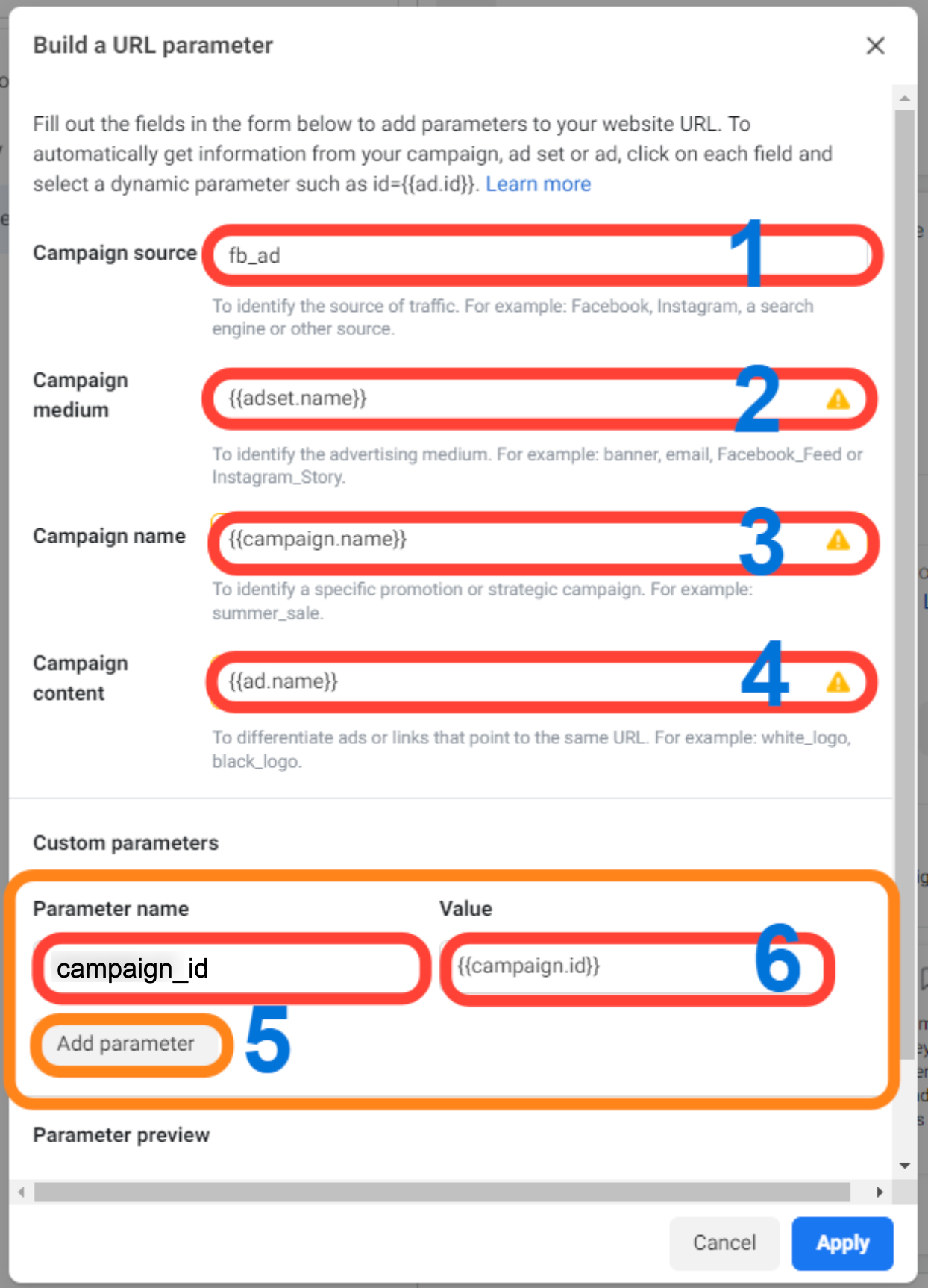
- Complete the URL parameter setup:
- Campaign Source:
fb_ad - Campaign Medium:
{{adset.name}} - Campaign Name:
{{campaign.name}} - Campaign Content:
{{ad.name}} - Add a custom parameter named
campaign_id - Set its value to
{{campaign.id}} - Click Apply
Important notes:
- Facebook may take some time to approve updated ads
- UTM parameters do not appear in ad preview mode
- Do not use special characters or emojis in tracked fields
Attribution Reporting Notes
Section titled “Attribution Reporting Notes”Attribution reporting depends on proper setup and supported entry points. If attribution data is missing, review naming conventions, UTM setup, and entry point coverage.
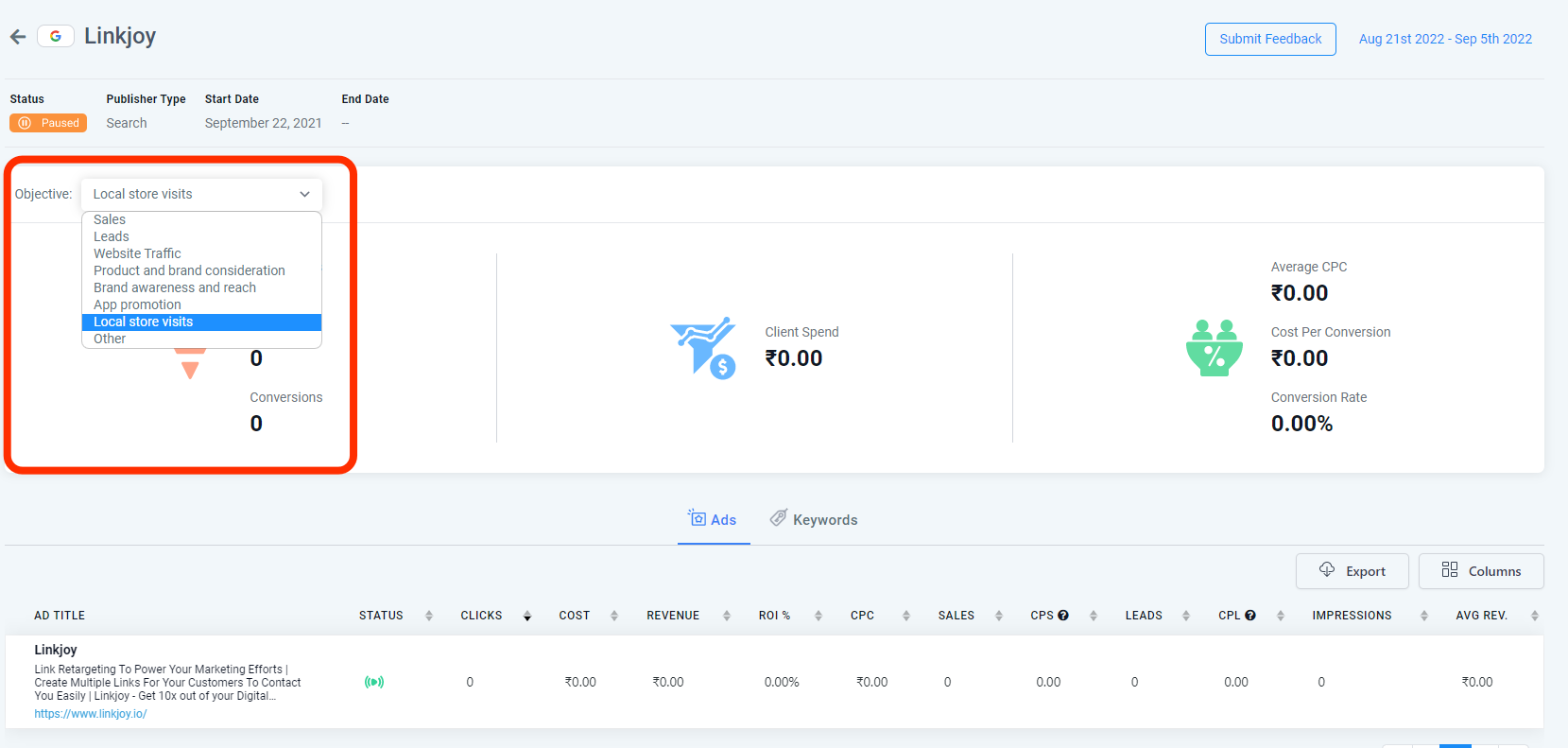
The Objectives dropdown in Ad Reporting helps define the objective of the ad campaign.
Troubleshooting
Section titled “Troubleshooting”Q: I do not see UTM parameters while previewing the ad. Is that expected?
A: Yes. Facebook does not add UTM parameters when you are viewing the ad in preview mode.
Q: Why am I not seeing first attribution data on contacts?
A: First attribution data is only recorded for supported entry points such as forms, surveys, calendars, Facebook lead forms, two-step order forms, chat widgets, and click-to-call flows.
Q: I changed a campaign or ad name and now reporting looks incorrect. Why?
A: Reporting may continue using the original campaign values. Create a new campaign, ad set, or ad instead of renaming an existing one.
Q: Should UTM parameters be added in tracking or destination URL?
A: Add UTM parameters in the tracking section.
Q: Do Facebook lead ads still need UTM parameters?
A: Yes. UTM parameters are still recommended for better reporting.