
How to Pause or Cancel a Scheduled Email Campaign
The Pause, Resume, or Cancel feature allows you to take full control of scheduled email campaigns well before they are actively dispatched to your audience. Whether you need to make quick last-minute edits, delay an email blast, or stop a campaign completely, you can manage it effortlessly directly from the campaign actions menu.
These controls help maintain absolute flexibility and precision in your email marketing. Pausing lets you temporarily halt a campaign to review or adjust the designated content. Resuming restores its scheduled programming, while Cancel ensures emails won’t send at all. This prevents permanent mistakes and helps marketers stay agile.
Key Benefits of Campaign Controls
Section titled “Key Benefits of Campaign Controls”Understanding these core benefits allows you to use campaign controls strategically—keeping your email sends accurate, timely, and highly relevant.
- Flexibility: Temporarily pause campaigns to make quick adjustments or accommodate shifting marketing priorities.
- Control: Cancel drafted emails that are no longer needed before they go out.
- Accuracy: Ensure only reviewed and explicitly approved content reaches your targeted audience list.
- Time Efficiency: Instantly resume paused campaigns without needing to rebuild them from scratch.
- Error Prevention: Proactively avoid sending incorrect or outdated information to your contacts.
How to Pause, Resume, or Cancel a Scheduled Campaign
Section titled “How to Pause, Resume, or Cancel a Scheduled Campaign”Learning to navigate and use the campaign control menu correctly ensures you can efficiently manage your outbound email operations without disrupting your overall strategy.
Step 1: Access the Marketing Section
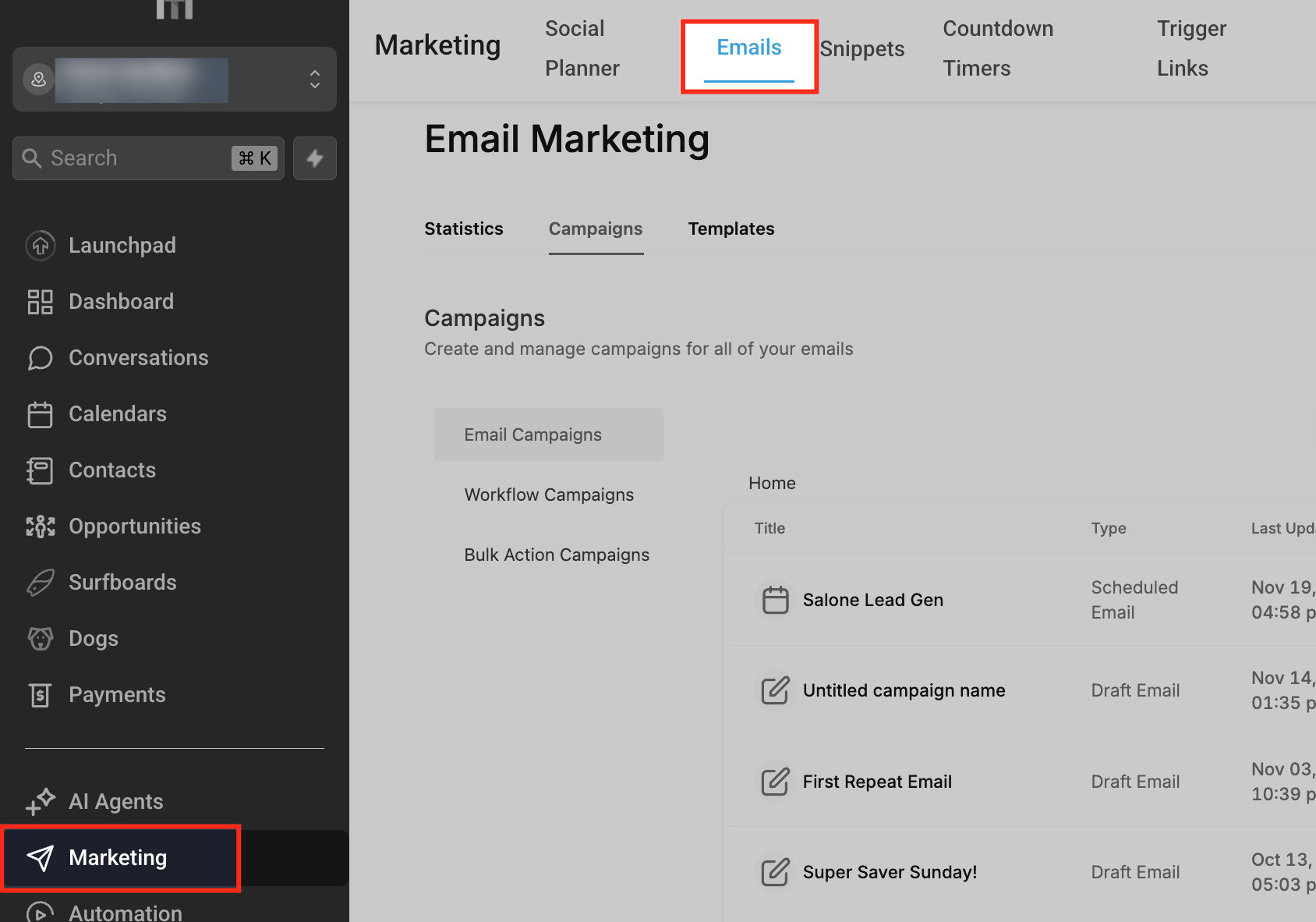
Section titled “Step 1: Access the Marketing Section”From the left-hand sidebar menu, go to Marketing → Emails.
Step 2: Navigate to the Email Campaigns Page
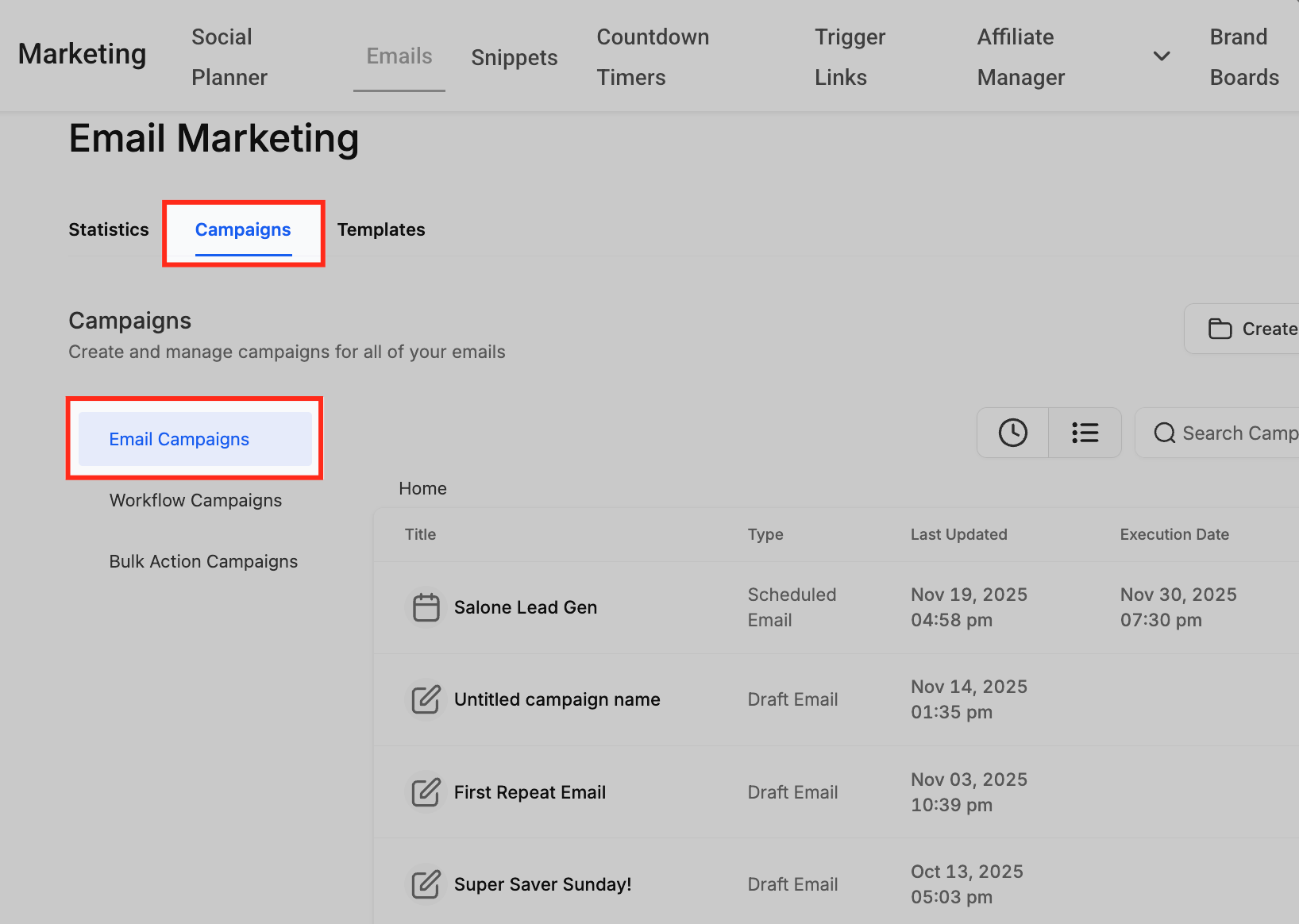
Section titled “Step 2: Navigate to the Email Campaigns Page”Select the Campaigns tab located near the top of the navigational page.
Step 3: Open the Campaign Options
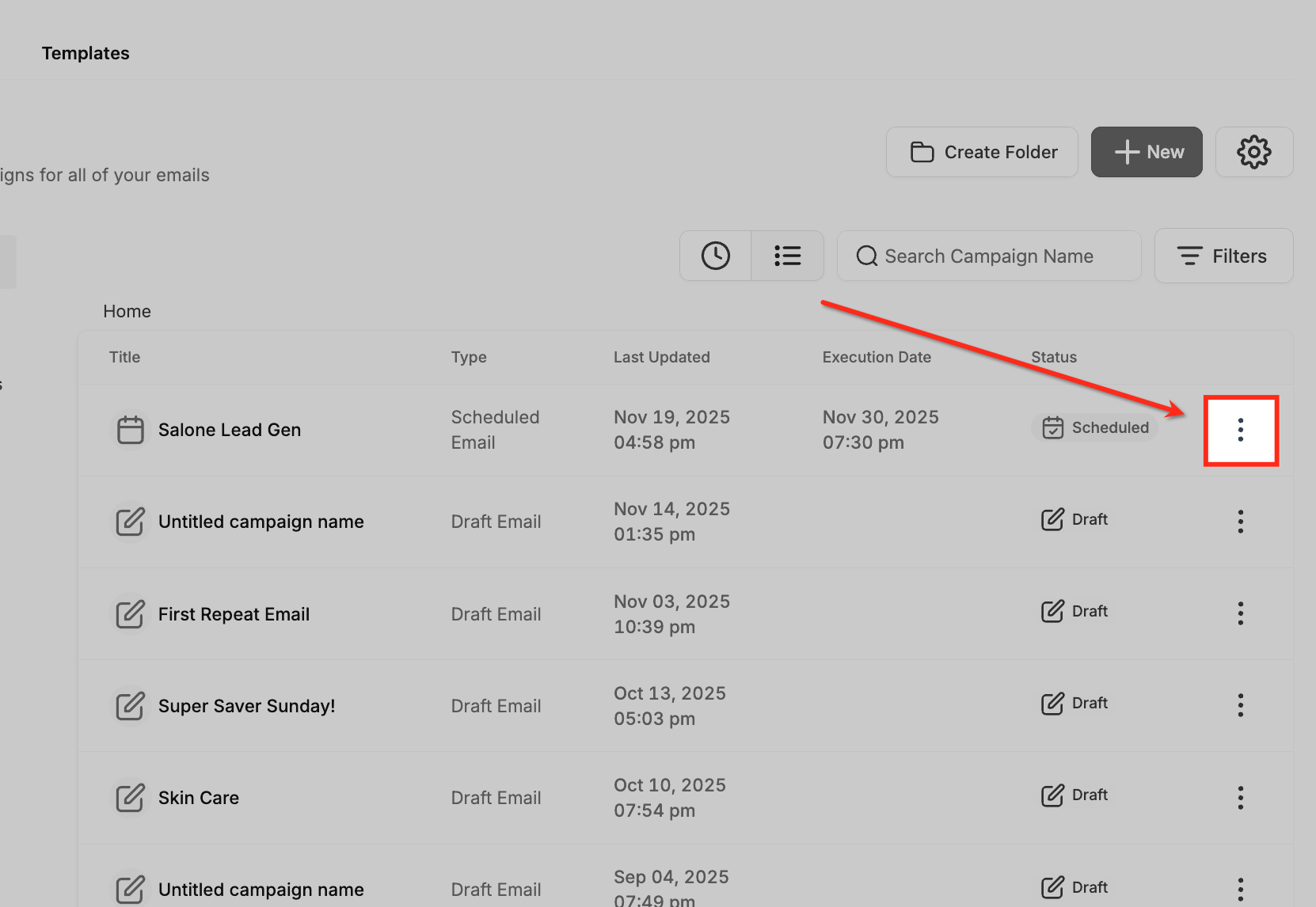
Section titled “Step 3: Open the Campaign Options”Find the specific campaign you wish to manage, which should currently be under a Scheduled status. Click the three-dot menu (⋮) next to the campaign’s name to open the list of available actions.
Step 4: Choose Your Desired Action
Section titled “Step 4: Choose Your Desired Action”Action A: Pause a Campaign
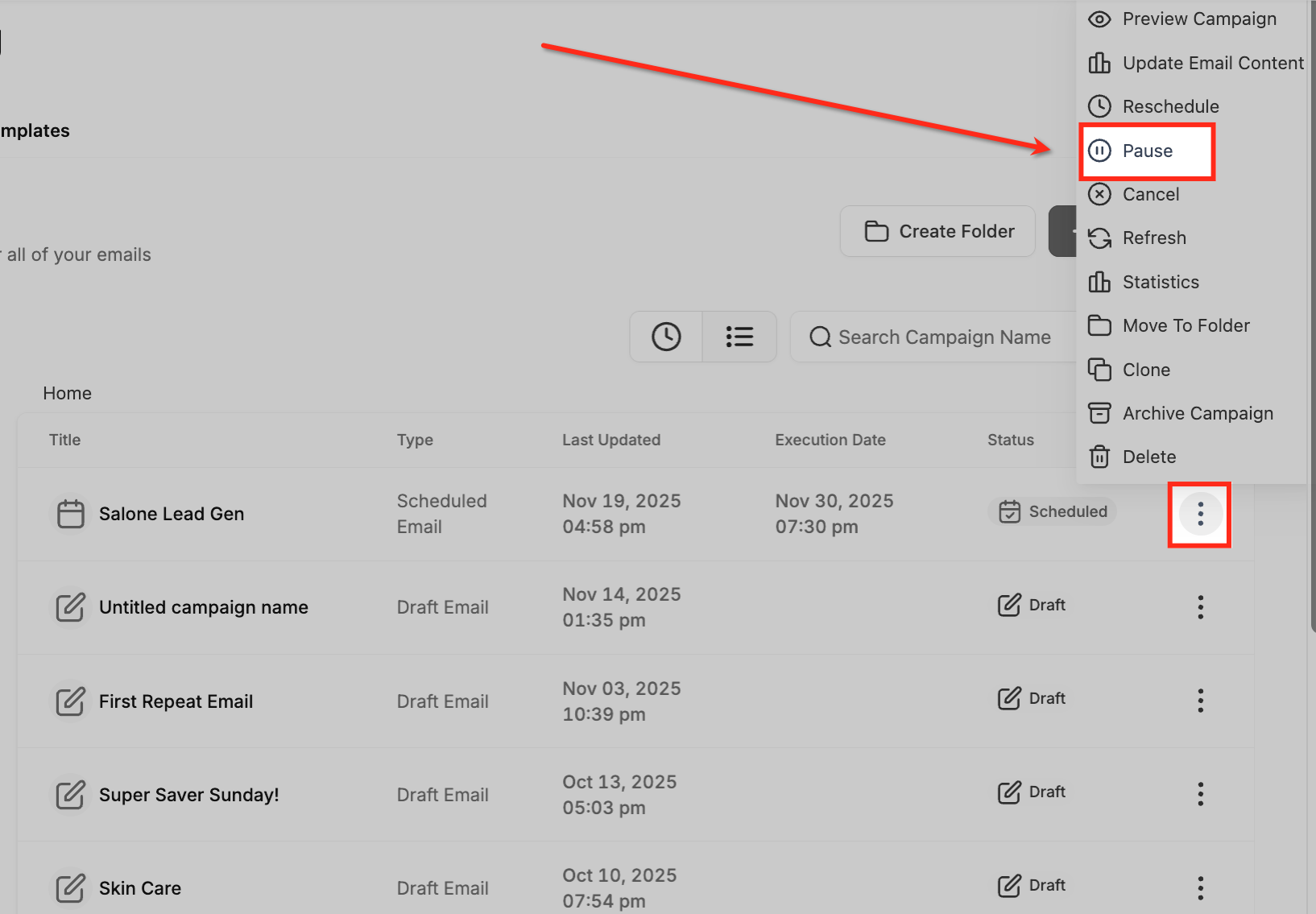
Section titled “Action A: Pause a Campaign”- Select Pause from the dropdown menu.
- This temporarily halts the campaign’s send schedule and prevents the system from triggering the server.
- The campaign’s status immediately updates to Paused. This is highly useful when you have to make quick edits, rigidly verify recipients, or simply double-check the scheduled timing.
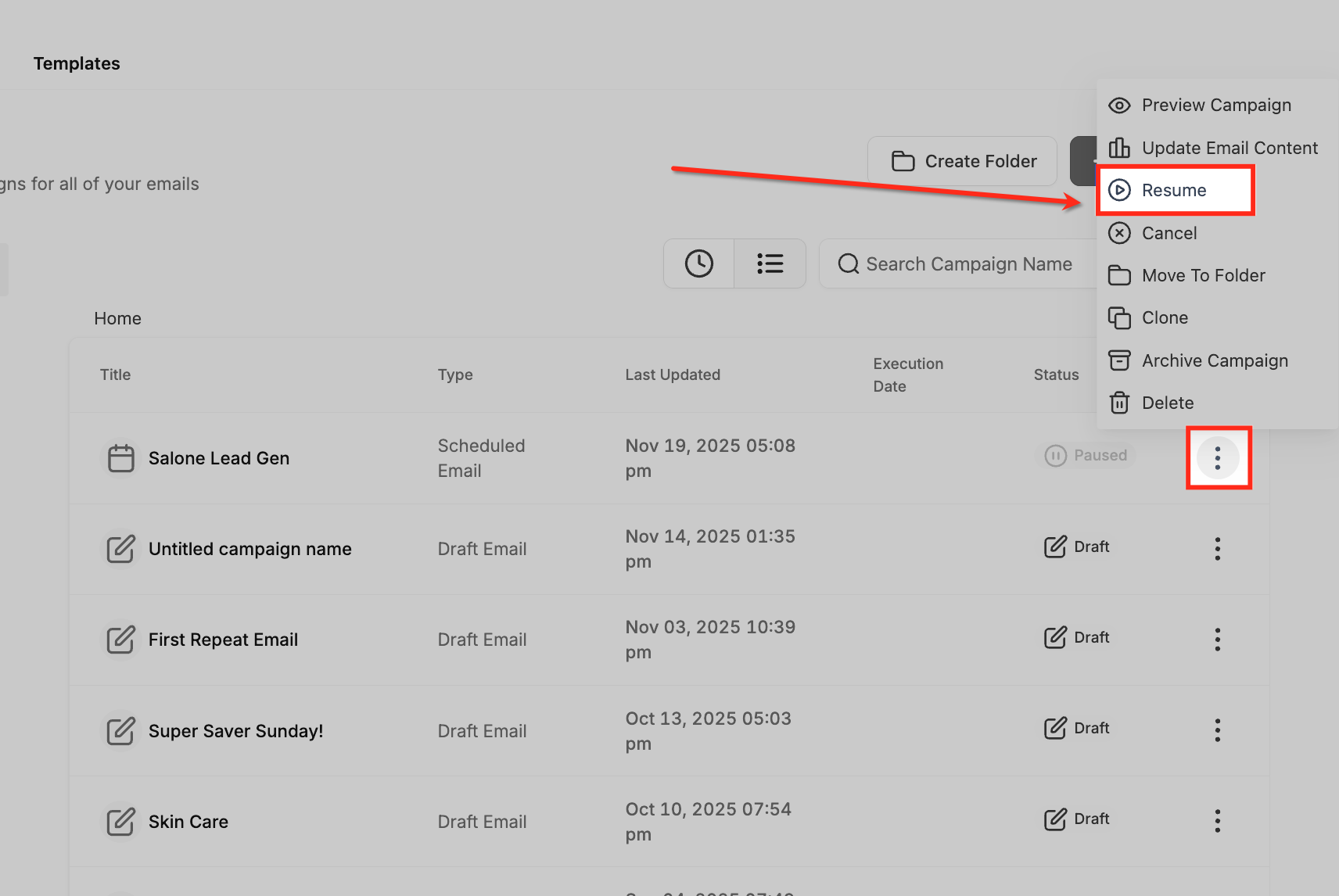
Action B: Resume a Campaign
Section titled “Action B: Resume a Campaign”- Once a campaign is currently paused, open the three-dot menu (⋮) again.
- Click Resume to instantly re-activate the campaign queue.
- Important Timing Note: If resumed before the originally scheduled time, it will send exactly as planned. If resumed after the original time has already passed, the system will send the campaign immediately.
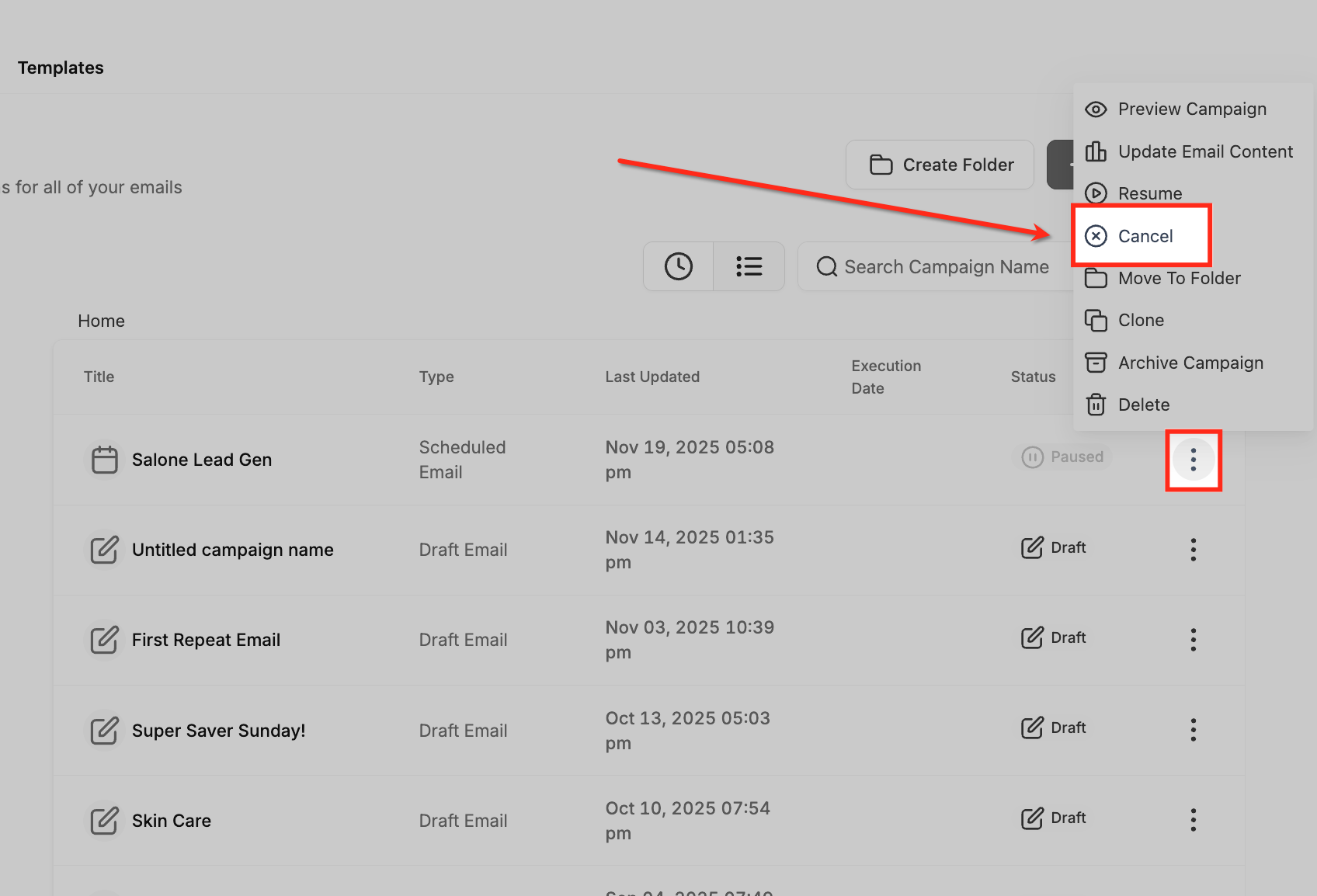
Action C: Cancel a Campaign
Section titled “Action C: Cancel a Campaign”- To permanently sever a scheduled campaign, click Cancel from the dropdown.
- The campaign will not send under any circumstances, actively terminating any pending RSS or designated batch emails tied to the execution block.
When to Use Each Option
Section titled “When to Use Each Option”Understanding precisely when to use Pause, Resume, or Cancel helps ensure you manage all deployments proactively, maintaining both brand accuracy and delivery timing.
- Pause: Use when you need more time to review, request secondary approval, or make last-minute edits shortly before launch.
- Resume: Use only when your paused campaign is fully repaired and ready to formally continue sending.
- Cancel: Use when the campaign is no longer contextually relevant, was sent to the wrong smart list, or contains unrecoverable structural errors.
Frequently Asked Questions
Section titled “Frequently Asked Questions”Q: Can I resume a campaign after the original scheduled time has already passed?
Yes. However, if it is resumed after the original designated send time, the platform will process and send the campaign immediately.
Q: What happens to paused campaigns if I don’t resume them?
They remain safely paused indefinitely until you manually decide to resume or cancel them.
Q: Does canceling a campaign actually delete it from my drafts?
No. Canceling only prevents the email from sending to the server. You can still open, clone, or edit the structural template later.
Q: Can I pause explicit A/B test campaigns?
Yes. The Pause, Resume, and Cancel options work universally for all dynamically scheduled campaign types, including A/B test variations.
Q: Will pausing affect subsequent analytics or performance tracking?
No. Analytics are exclusively tracked from the exact moment the campaign successfully leaves the server, so pausing beforehand has zero negative effect on your reporting.