
How to Access the All-in-One Dashboard for Email Marketing
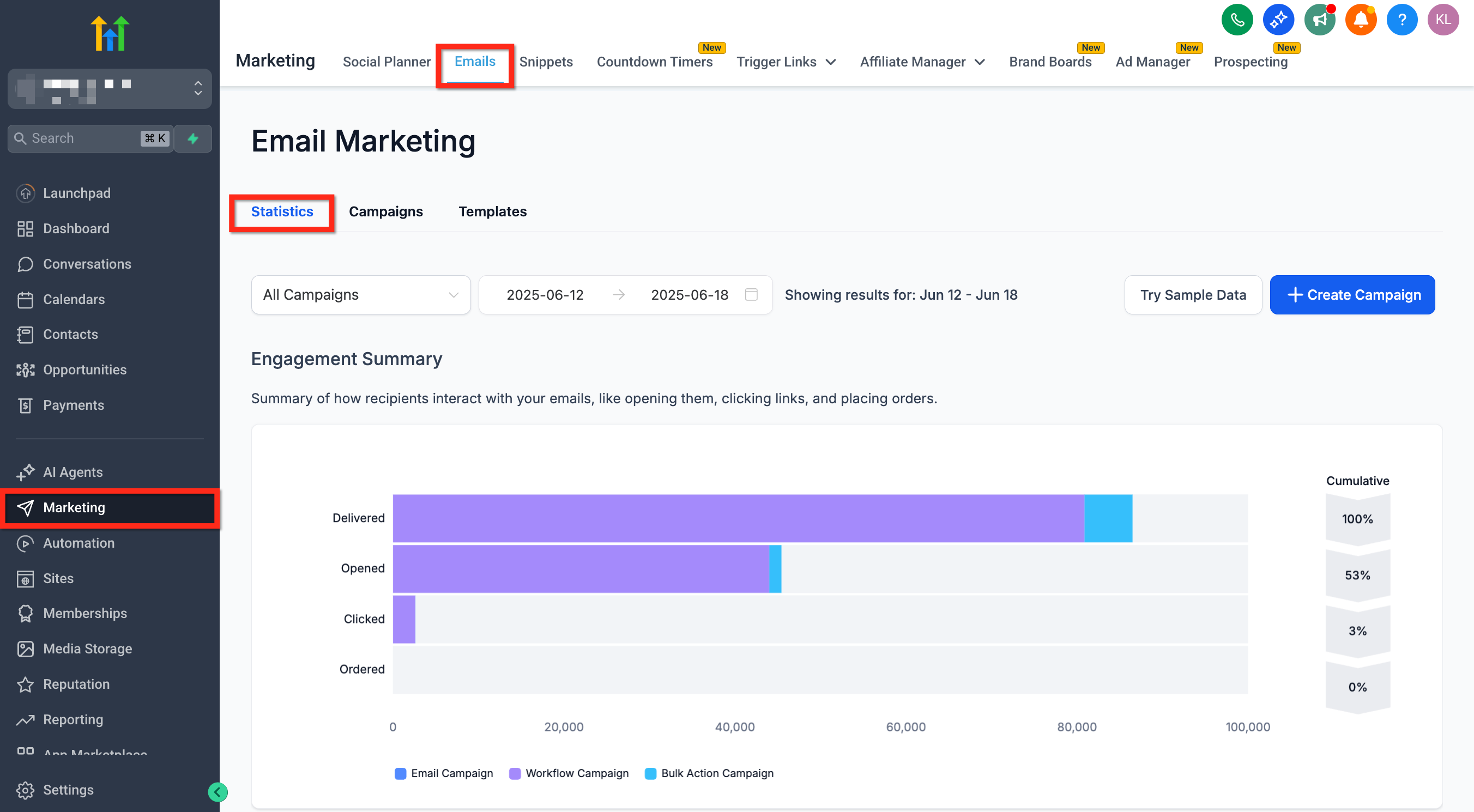
The All-in-One Dashboard is a centralized hub where you can cleanly view performance metrics for every single email sent through Campaigns, Workflows, and Bulk Actions. Rather than constantly switching between disparate tools to analyze independent metrics, you now have a fully consolidated view that significantly streamlines email performance tracking and long-term marketing planning.
Key Benefits of the All-in-One Dashboard
Section titled “Key Benefits of the All-in-One Dashboard”A centralized dashboard simplifies monitoring and planning by actively combining all critical email metrics into one accessible place.
- See total performance for Campaign, Workflow, and Bulk Action emails in a single unified view.
- Gain data-driven insights from Top Performing Emails filtered by category type.
- Use advanced filters to intentionally isolate variable data by channel.
- Smoothly explore detailed stats, including granular open and click rates.
- Improve high-level decision-making with all relevant historical data at your fingertips.
How To Use the All-in-One Dashboard
Section titled “How To Use the All-in-One Dashboard”Learn how to purposefully navigate and interact with the primary dashboard to monitor your broader email marketing efforts effectively.
-
Go to Marketing > Emails > Statistics.
-
Automatically view the unified stats displayed natively by default.
-
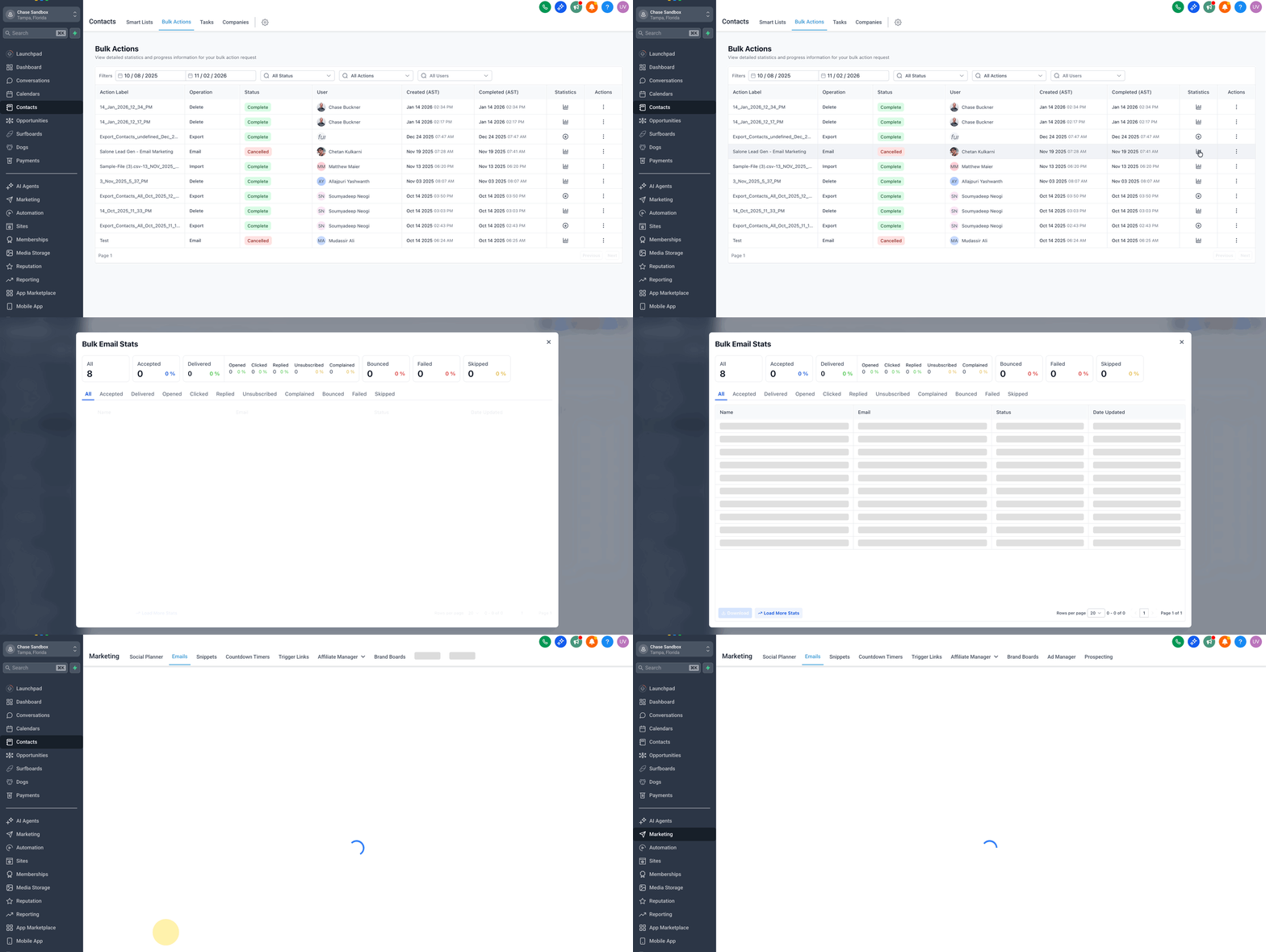
Use the dropdown in the top-left corner to selectively filter by email channel. (Note: Emails formally sent via Contacts → Bulk Actions are logically grouped under “Bulk Action Campaigns” in the dashboard filter).
-
Scroll down to intuitively explore deeper performance metrics, specifically including the “Top Performing Emails” visual breakdown.
[!TIP] If you started your workflow directly from Contacts → Bulk Actions → Show Statistics, you can freely use the Load More Stats button to immediately open this exact same Email Statistics dashboard seamlessly pre-loaded with your Bulk Action reporting.
Feature Highlight: Top Performing Emails
Section titled “Feature Highlight: Top Performing Emails”This modular section explicitly helps you identify which specific email content successfully drives the most engagement, neatly broken down by type category.
The Top Performing Emails widget displays the most structurally effective individual emails:
- For Standard Campaigns and Bulk Actions: Formally tracks the entire macro email delivery event.
- For Workflows: Exclusively highlights isolated performance at the individual email action level, measuring the single step rather than the overarching full workflow execution.
Frequently Asked Questions
Section titled “Frequently Asked Questions”Q: Can I natively export data directly from the main dashboard?
Currently, hard export functionality is not available globally from the main dashboard overview layer.
Q: Does the dashboard include SMS broadcasts or other messaging stats?
No. This specific dashboard is laser-focused and exclusively reports on email activity only.
Q: Can I directly compare performance visually across completely different email types?
Yes. Use the localized dropdown to correctly filter by channel, and visually compare comparative performance metric overlays.
Q: Are automated emails triggered from smart workflows included in this data?
Yes. Emails physically sent through active Workflow triggers are entirely included and securely tracked in the global statistics module.