
Exporting Email Marketing Data
Exporting Email Marketing Data seamlessly allows users to safely download email performance macro metrics directly from the core Email Statistics dashboard strictly as a standardized CSV file.
This makes it incredibly easier to properly track and mathematically analyze overall campaign performance, securely share results with external stakeholders, and reliably maintain local reporting records explicitly outside of the closed platform. Exports dynamically can include rigid statistics explicitly from campaigns, functional workflows, and targeted bulk email actions, and these download links are securely delivered via email directly to the verified requester.
Key Benefits of Exporting Email Data
Section titled “Key Benefits of Exporting Email Data”Exporting email statistics specifically enables internal marketing teams to properly analyze historical performance more efficiently and reliably share precise insights broadly across marketing, localized operations, and dedicated client reporting workflows.
- Centralized reporting: Effectively download core email performance data explicitly from the unified Email Statistics dashboard rather than manually scraping and rigidly collecting scattered metrics from distinct individual campaign views.
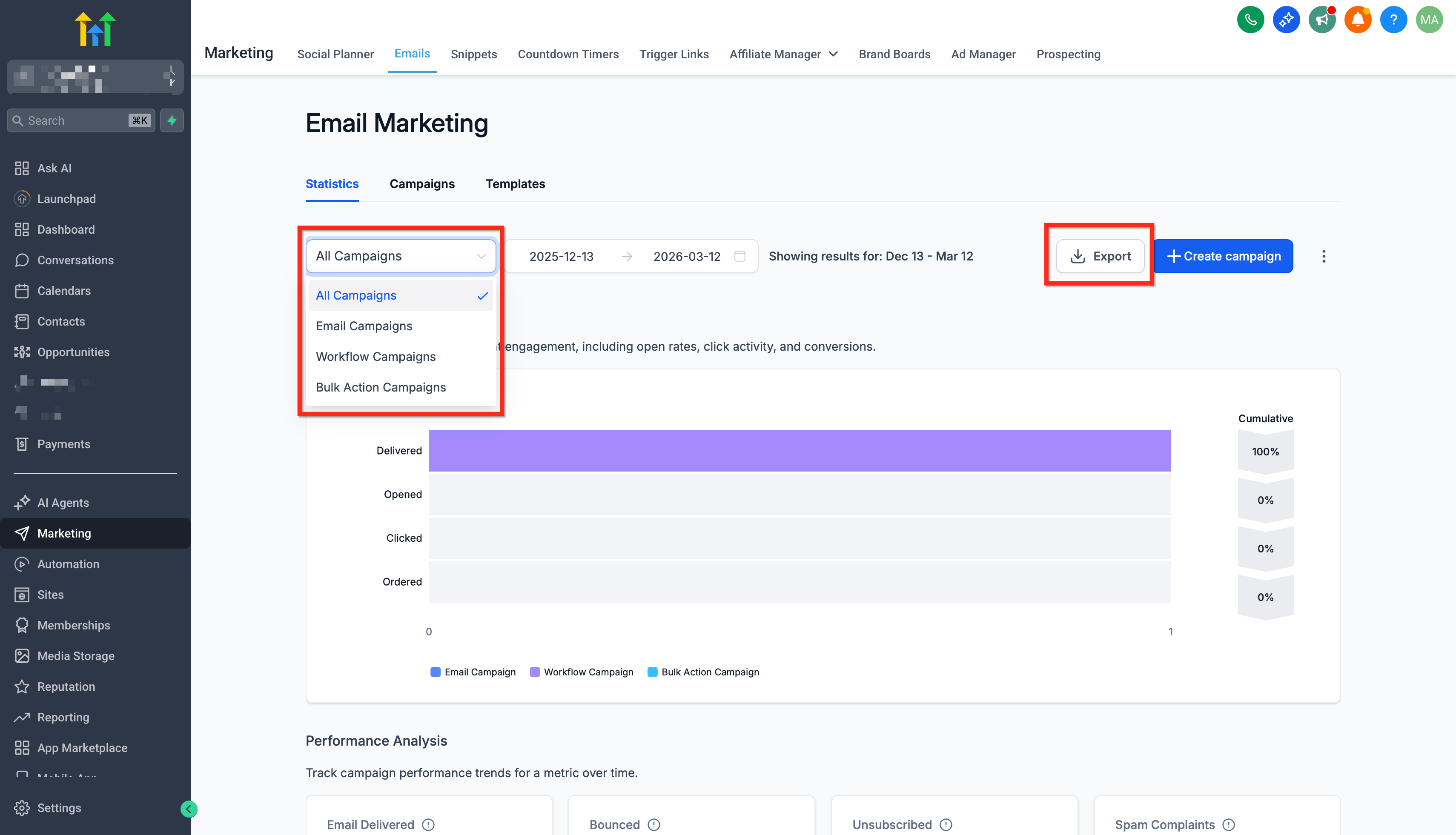
- Flexible export options: Reliably generate raw CSV exports for all aggregate email activity or natively focus specifically on individual sources such as singular campaigns, isolated workflows, or macro bulk-sends.
- Simplified performance analysis: Generated CSV exports legitimately can be instantly opened in spreadsheet tools like Microsoft Excel or Google Sheets for substantially deeper variable analysis and custom layout reporting.
- Secure file delivery: Formal Export download links dynamically remain valid rigidly for exactly 30 days, reliably providing highly secure and fundamentally time-limited access rigorously to sensitive reporting data.
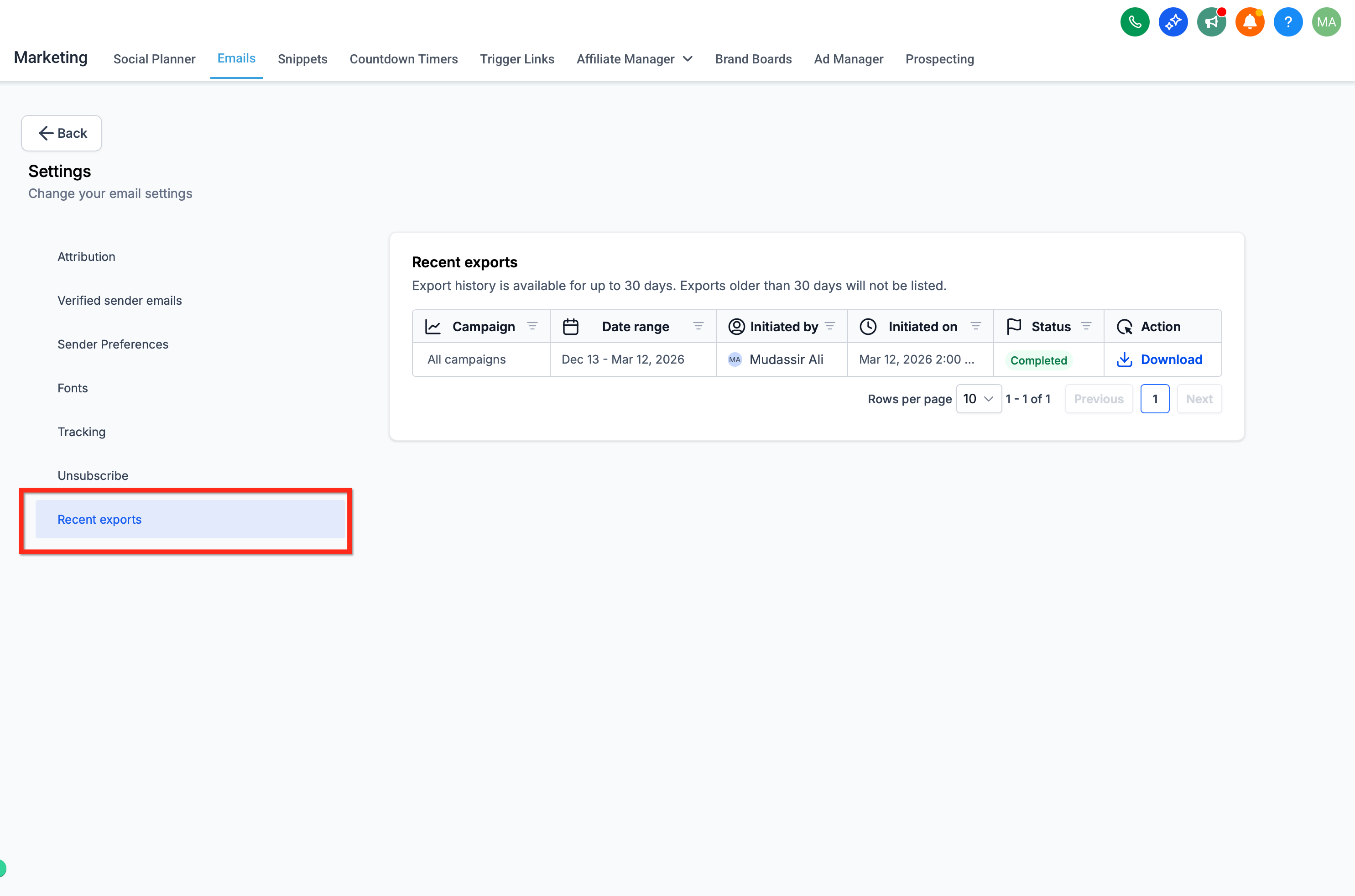
- Export visibility: The native Recent Downloads area inherently allows authorized users to strictly track global export activity natively and structurally confirm when files were functionally generated by other team admins.
Email Performance Export Types
Section titled “Email Performance Export Types”The platform explicitly supports multiple nested export scopes natively so users logically can download exactly the specific set of email statistics needed accurately for detailed reporting or robust analysis.
Each explicit export type corresponds linearly to the identical email activity properly tracked inside the Email Statistics dashboard logic.
How To Setup and Export Email Marketing Data
Section titled “How To Setup and Export Email Marketing Data”Exporting targeted email performance data structurally requires absolutely zero additional external configuration explicitly once “Email Statistics” is fundamentally successfully integrated for your specific sub-account location. Users cleanly can seamlessly generate safe exports directly right from the core Email Statistics dashboard layer and securely receive the live download link explicitly via their admin email.
-
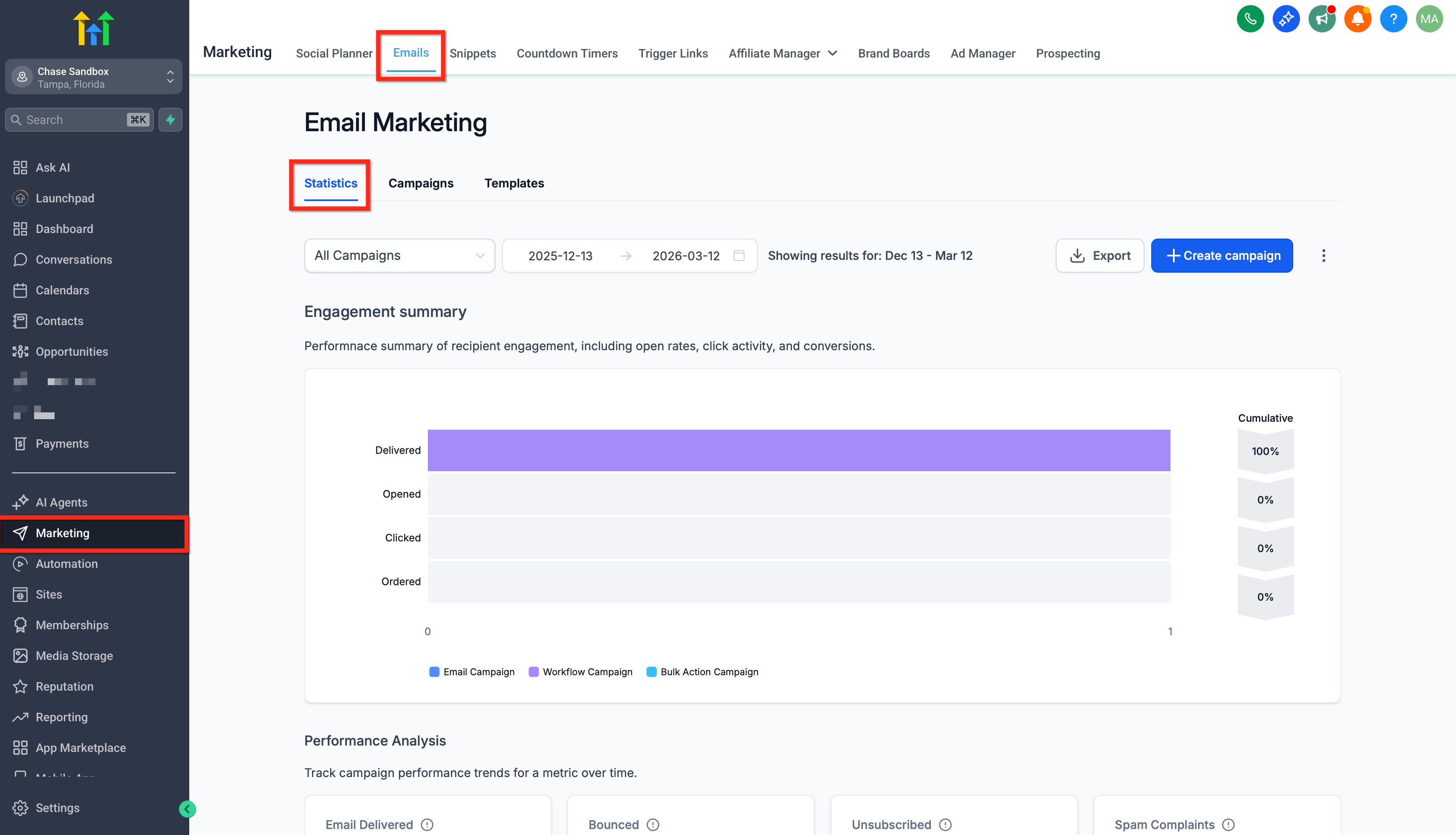
Navigate strictly proactively to Marketing → Emails → Statistics.
-
Seamlessly navigate and specifically choose the primary parent Campaign type you intend to download, and definitively click Export.
-
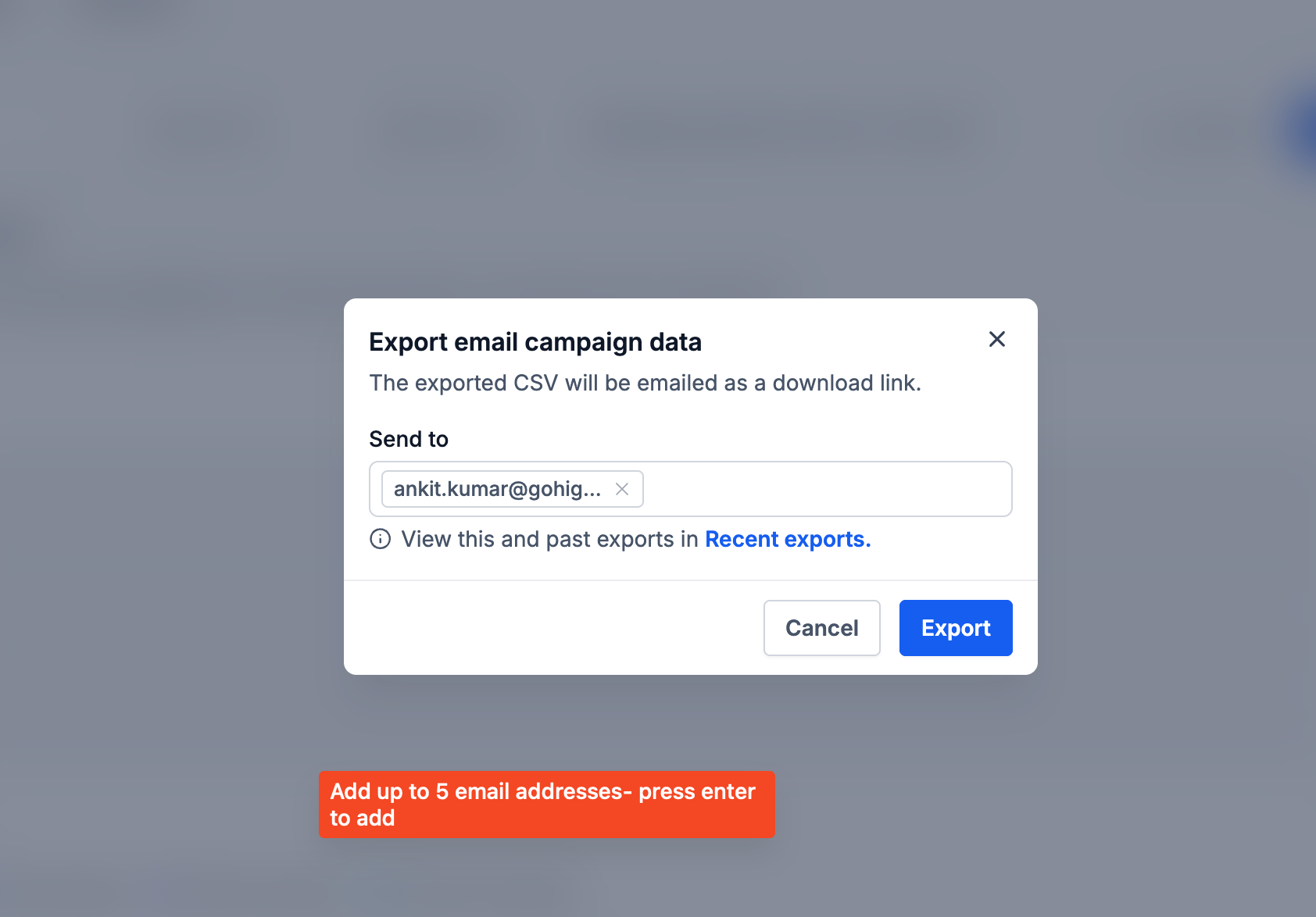
Securely add the verified email address(es) where you specifically want to securely receive the requested CSV file payload and technically proceed.
-
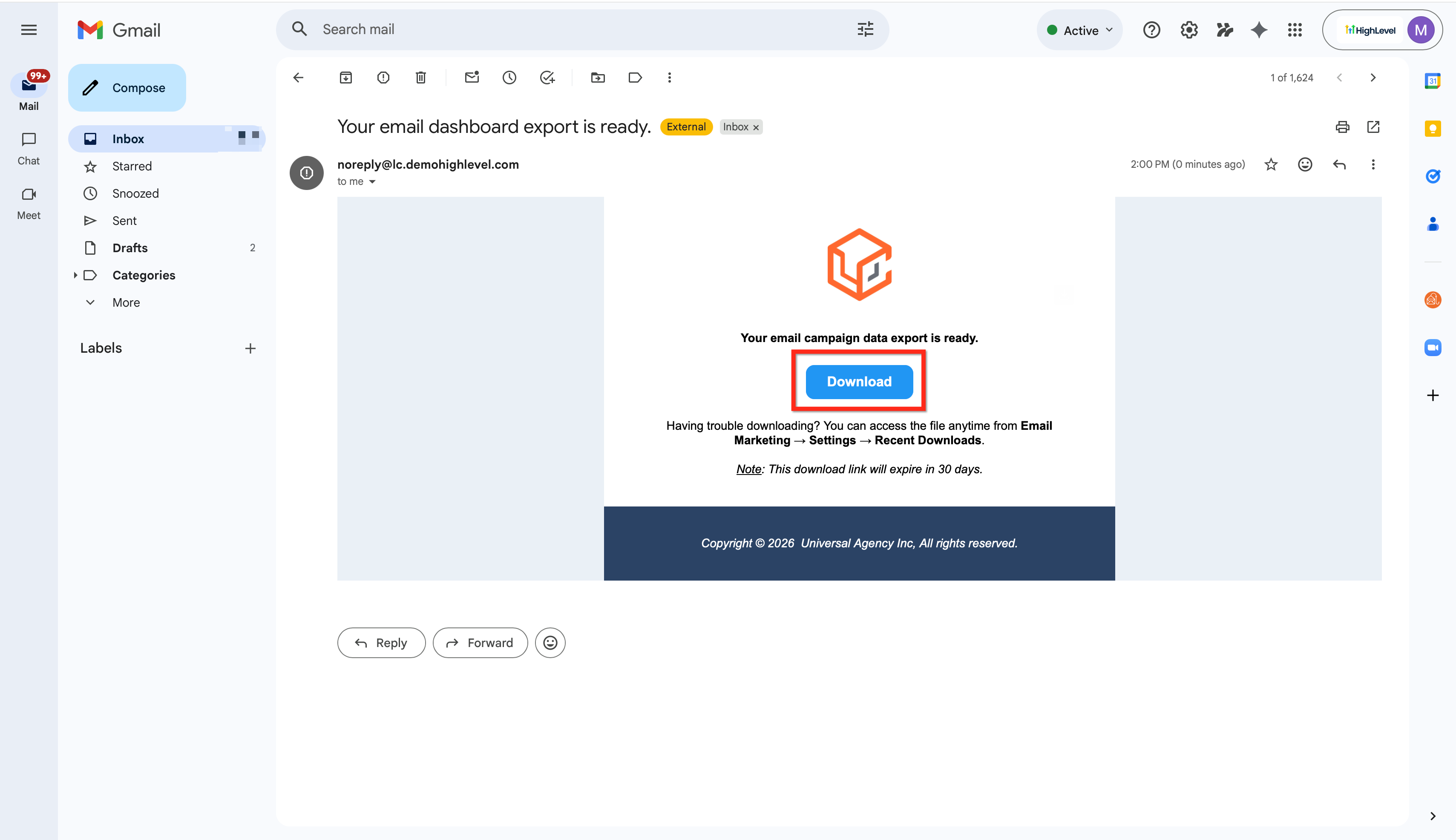
Check your standard email inbox securely for the specifically formatted message safely containing the active download link directly to the fully exported CSV file. All exports securely include precise key performance baseline metrics logically such as explicit deliveries, unique opens, and raw clicks.

-
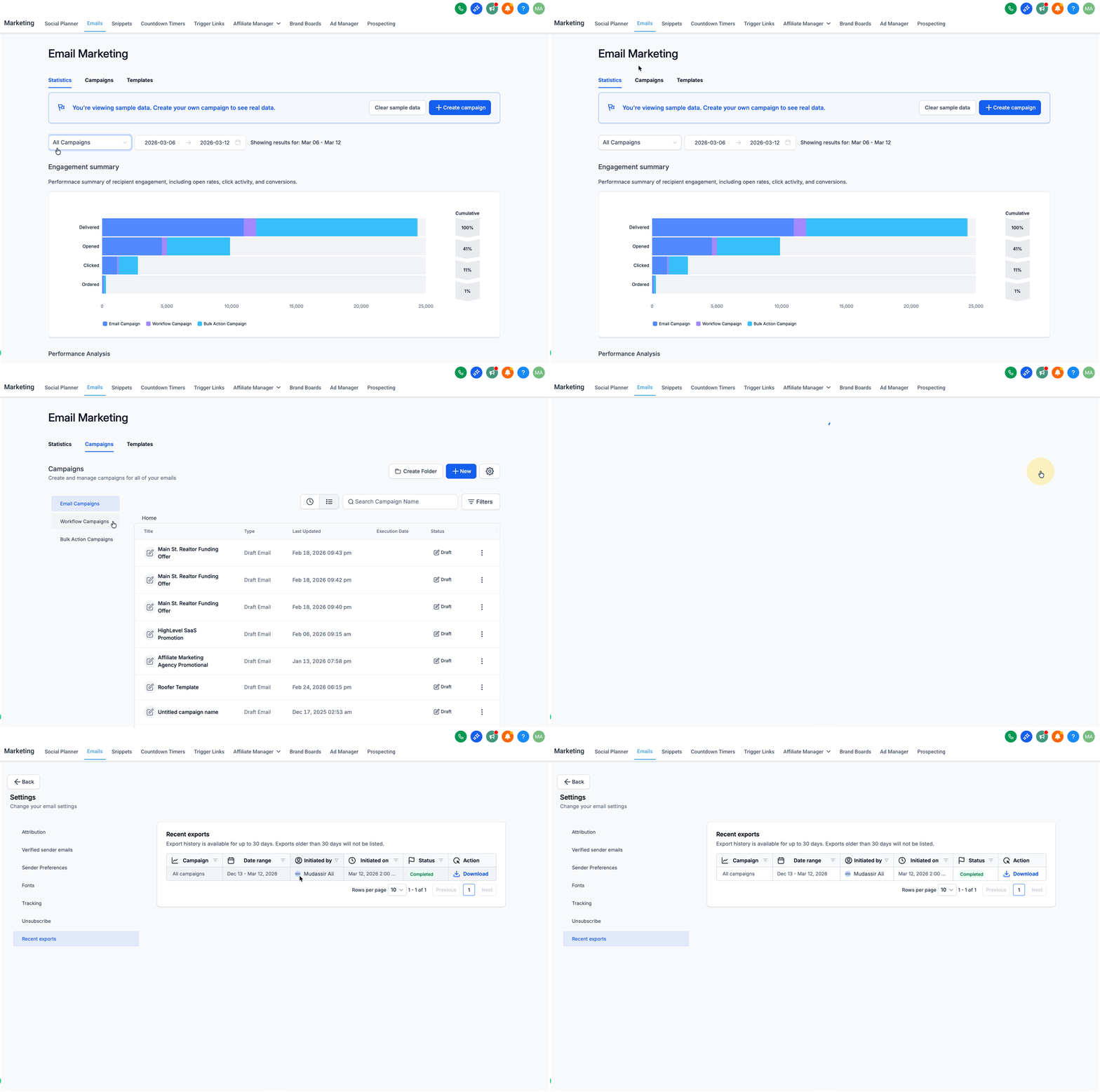
To structurally quickly access all historically generated past exports natively without returning to your email, routinely go directly to Campaigns → Settings → Recent Exports.
Frequently Asked Questions
Section titled “Frequently Asked Questions”Q: What exact granular metrics are structurally included in the generated export document?
A: The exported CSV cleanly includes every key email performance metric legally available practically in the core Email Statistics interface natively, such as standard deliveries, opens, clicked ratios, bounces, and active un-subscribes.
Q: How precisely do I actively receive the successfully exported raw file?
A: The system formally safely dispatches the CSV file download secure link securely straight to the exact specified admin email address explicitly provided instantly when the secure export request was originally submitted.
Q: Officially how precisely long is the generated export download link securely valid natively for?
A: Download structural links strictly securely remain valid and safely functional precisely for 30 calendar days aggressively after the original export payload is properly generated natively.
Q: Can I individually dynamically export specific workflow-action email performance statistics?
A: Yes. Granular Workflow exports confidently provide specific performance analysis data explicitly at the purely individual isolated email action level nested deep within complex workflows.
Q: Does dynamically exporting static email data strictly fundamentally affect active running campaigns or live contacts?
A: No. Exporting historical data is an entirely passive reporting viewing action exclusively and structurally absolutely does not natively modify live campaigns, active workflows, rigid contacts, or current active statistics metrics natively in any way.