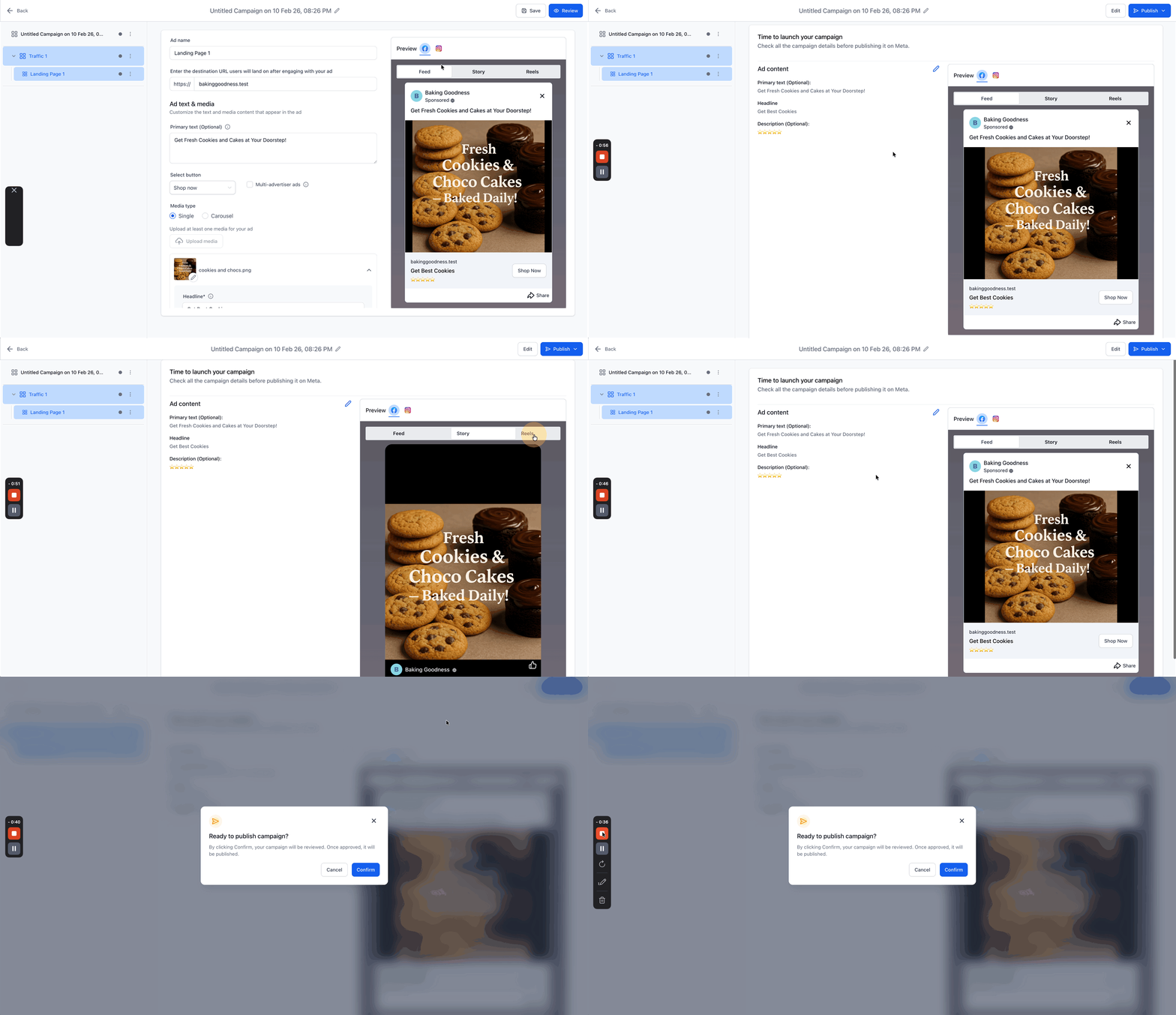
Ad Manager - Create New Facebook Ad Campaigns
Kickstart your Facebook and Instagram advertising securely directly from the unified Ad Manager. This comprehensive guide actively explains exactly how to natively create a Meta campaign, properly understand the fixed Campaign → Ad Set → Ad structure, logically manage multiple ad variations, and securely publish with explicit confidence.
Meta campaigns structurally created natively in the platform are sent seamlessly to your securely connected Meta ad account layer and rigorously follow standard Meta publishing policies.
[!NOTE] Ensure your administrative Facebook integration is fully configured correctly before you begin creating campaigns.
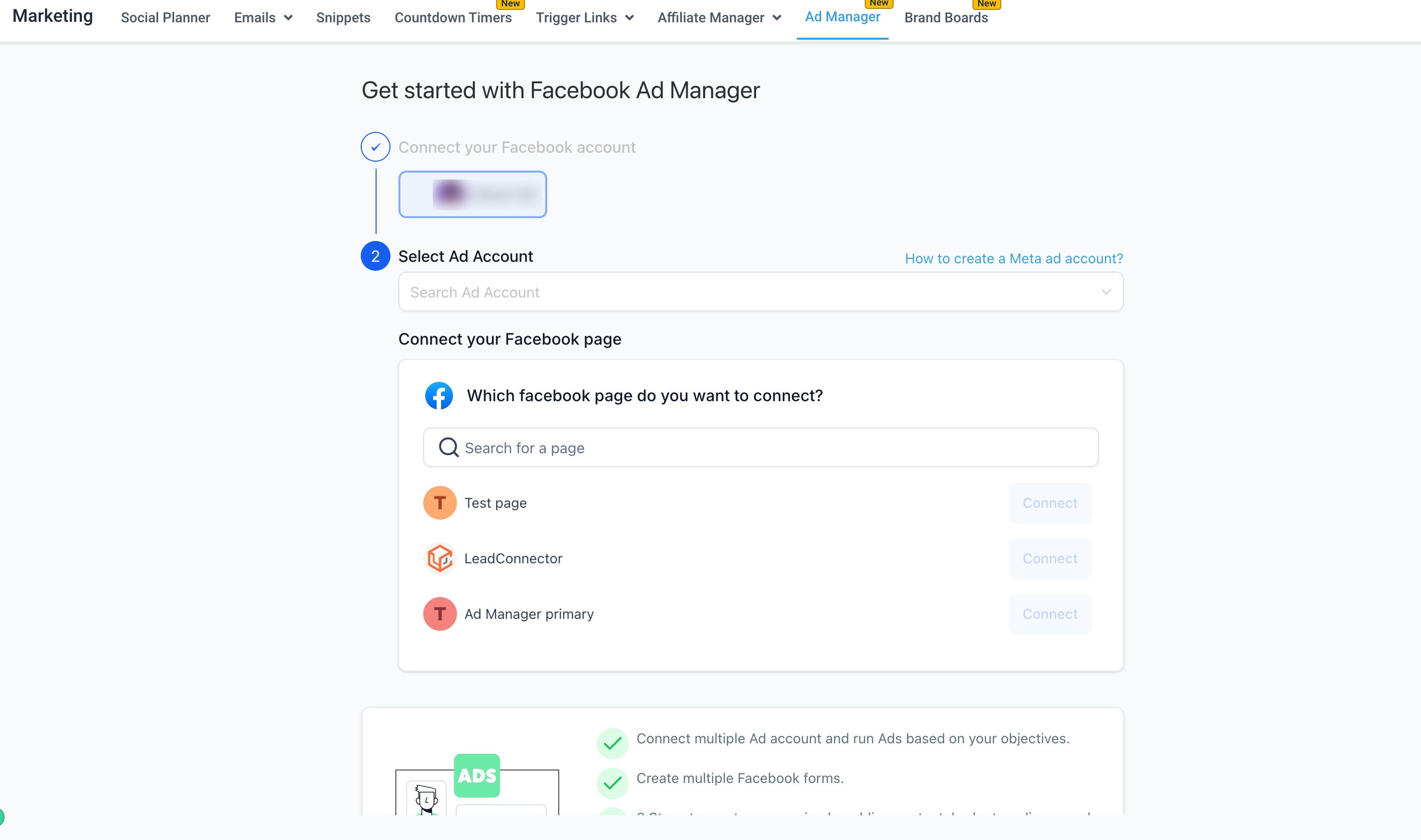
1. Key Benefits of In-Platform Facebook Campaign Creation
Section titled “1. Key Benefits of In-Platform Facebook Campaign Creation”- Speed: Build holistic campaigns, nested ad sets, and granular ads visually from one unified place.
- Clarity: Safely stay organized implicitly using Meta’s exact hierarchy explicitly for clean testing and unified reporting.
- Scalability: Easily add confidently up to 10 ad sets and 10 active ads simultaneously to safely expand precise tests rapidly without starting from scratch.
- Consistency: Securely reuse target audiences, standard creatives, and mapped Lead Gen forms explicitly to seamlessly keep brand presence high.
2. Meta Campaign Structural Hierarchy
Section titled “2. Meta Campaign Structural Hierarchy”Formal Meta campaigns intuitively follow a rigid three-level logic hierarchy strategically: Campaign → Ad Set → Ad.
When you functionally create a primary campaign, Ad Manager automatically creates exactly 1 Ad Set and 1 nested Ad technically to safely help you get started.
Active structural limits:
- Up to 10 ad sets individually per active campaign.
- Up to 10 ads individually per nested ad set.
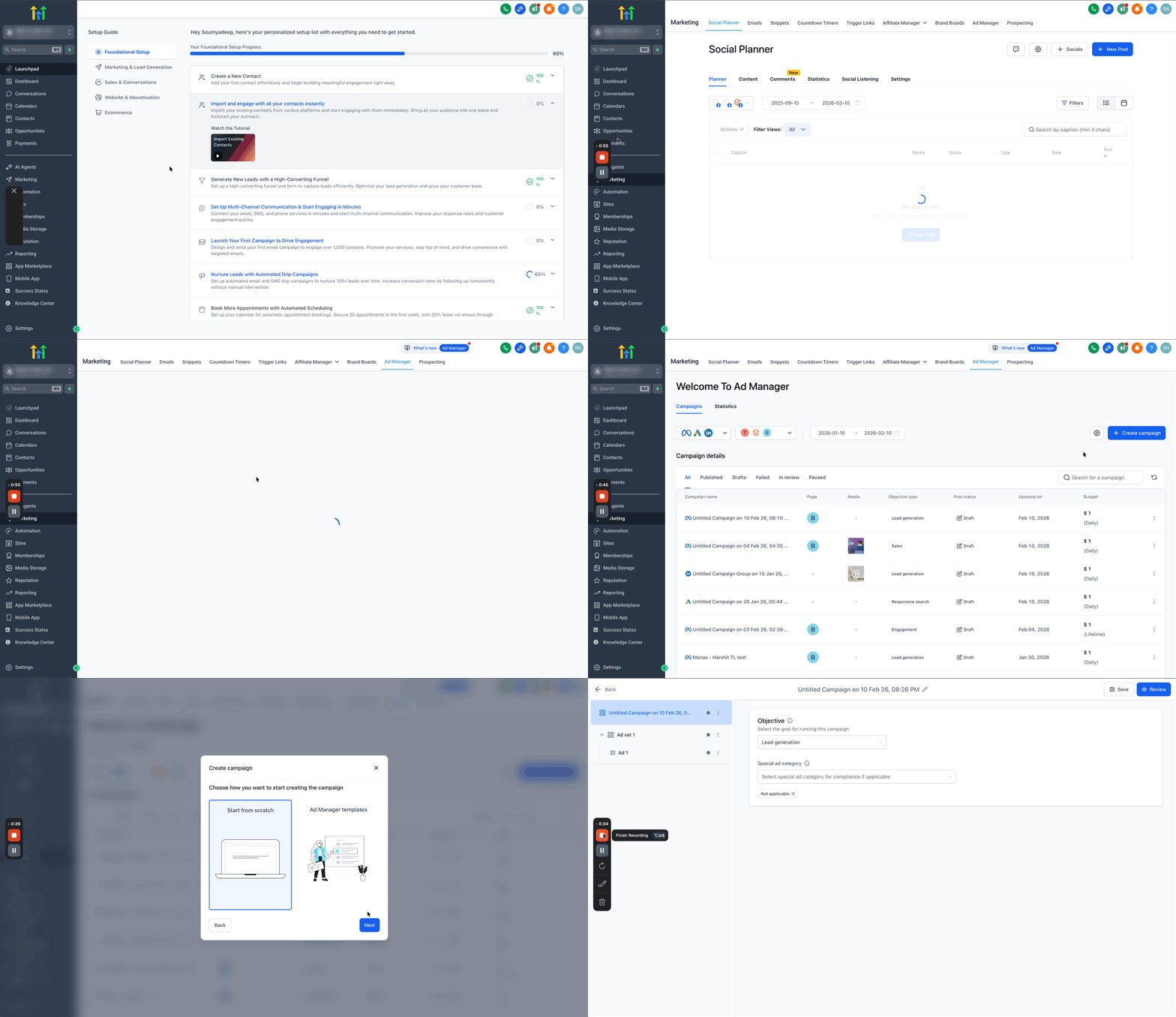
3. How To Create a Meta Campaign
Section titled “3. How To Create a Meta Campaign”This guided structured workflow rigidly follows the exact precise order of administrative controls natively inside the platform.
Step 1: Create a Campaign Node
Section titled “Step 1: Create a Campaign Node”- Navigate directly formally to Marketing > Ad Manager.
- Natively on the primary Ad Manager home UI screen, reliably click directly on the + Create Campaign primary button. From the resulting interactive screen, securely select the explicit platform selectively to publish your ad logically on (e.g., Facebook).
- On clicking Next, you natively securely can formally select to either build explicitly from literal Scratch or heavily utilize pre-installed Ad Manager templates.
- Strictly click Next predictably to dynamically start explicitly defining your new ad campaign configuration.
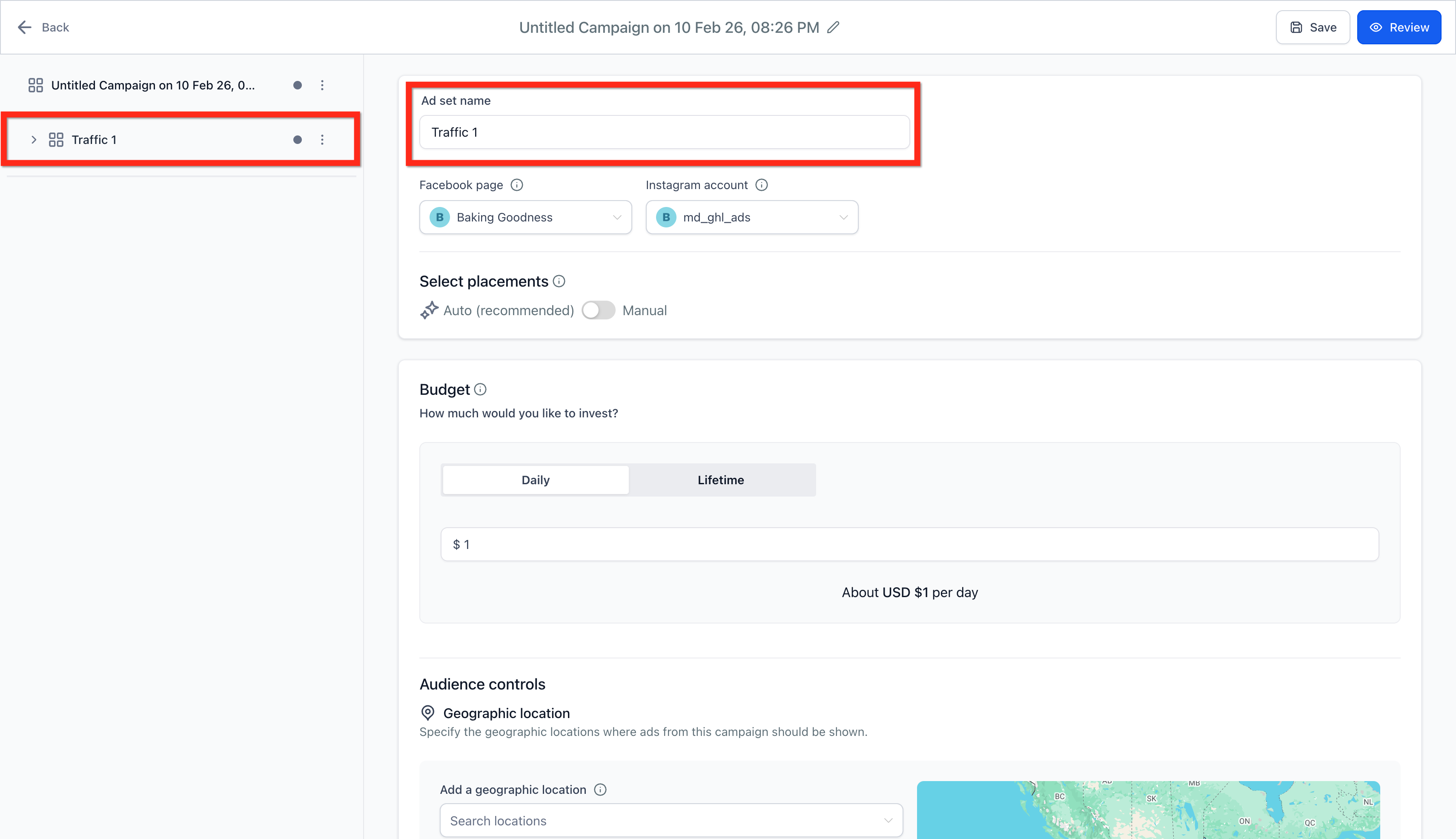
Step 2: Configure the Ad Set Level Architecture
Section titled “Step 2: Configure the Ad Set Level Architecture”[!NOTE] You logically natively can systematically add securely up to exclusively 10 distinct ad sets concurrently per active meta campaign.
- Visually give a clean recognizable Name explicitly for your primary internal Ad Set.
- Selectively pick exactly the connected Facebook Page (Your synced business page precisely definitively represents your active business explicitly in standard ads).
- Safely pick specifically the connected Instagram Account ideally. If intuitively not strictly connected directly, the formal ad logically will safely securely just intelligently use your primary Facebook Page name broadly, standard profile picture, general description, and live follower count seamlessly.
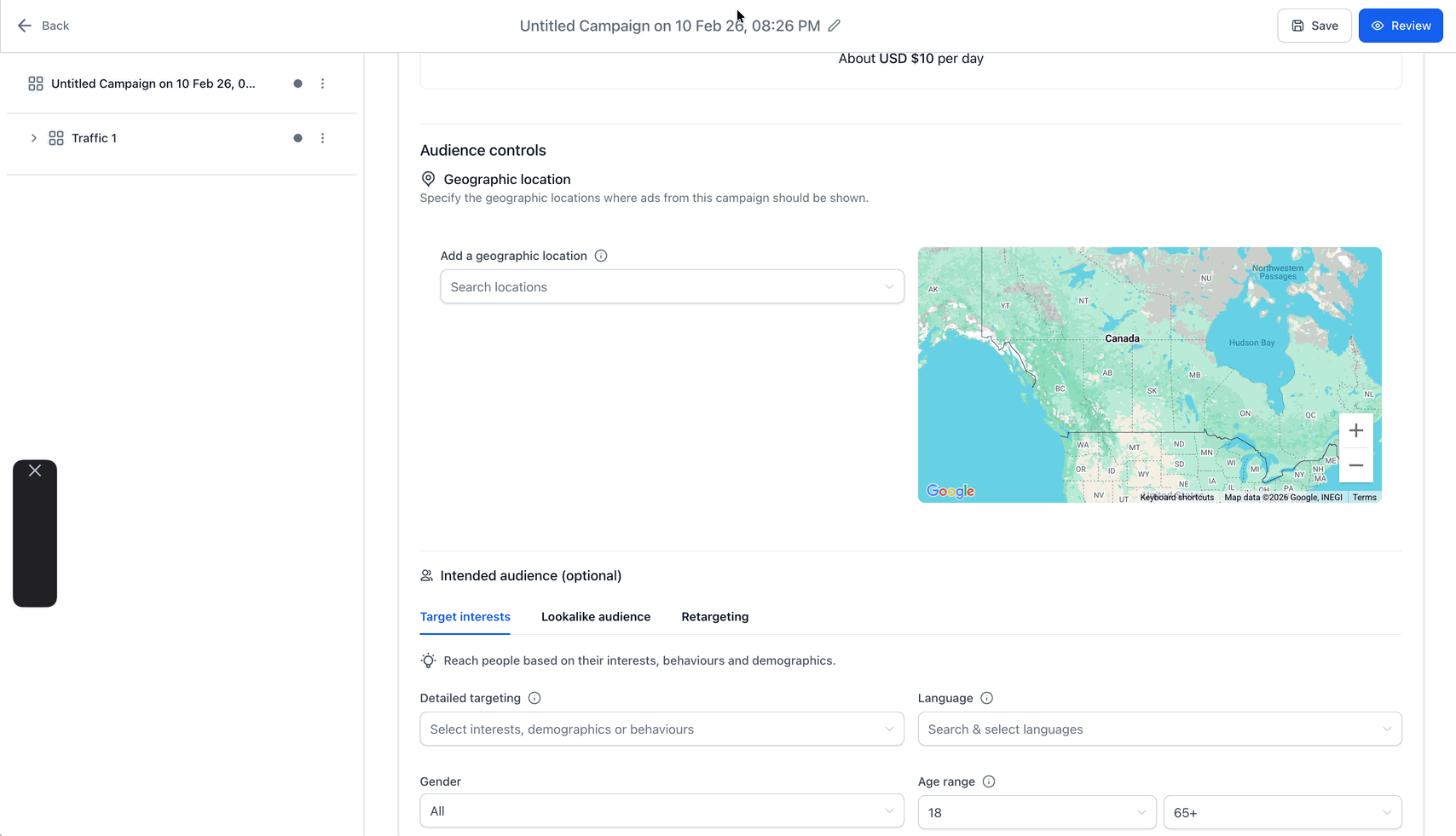
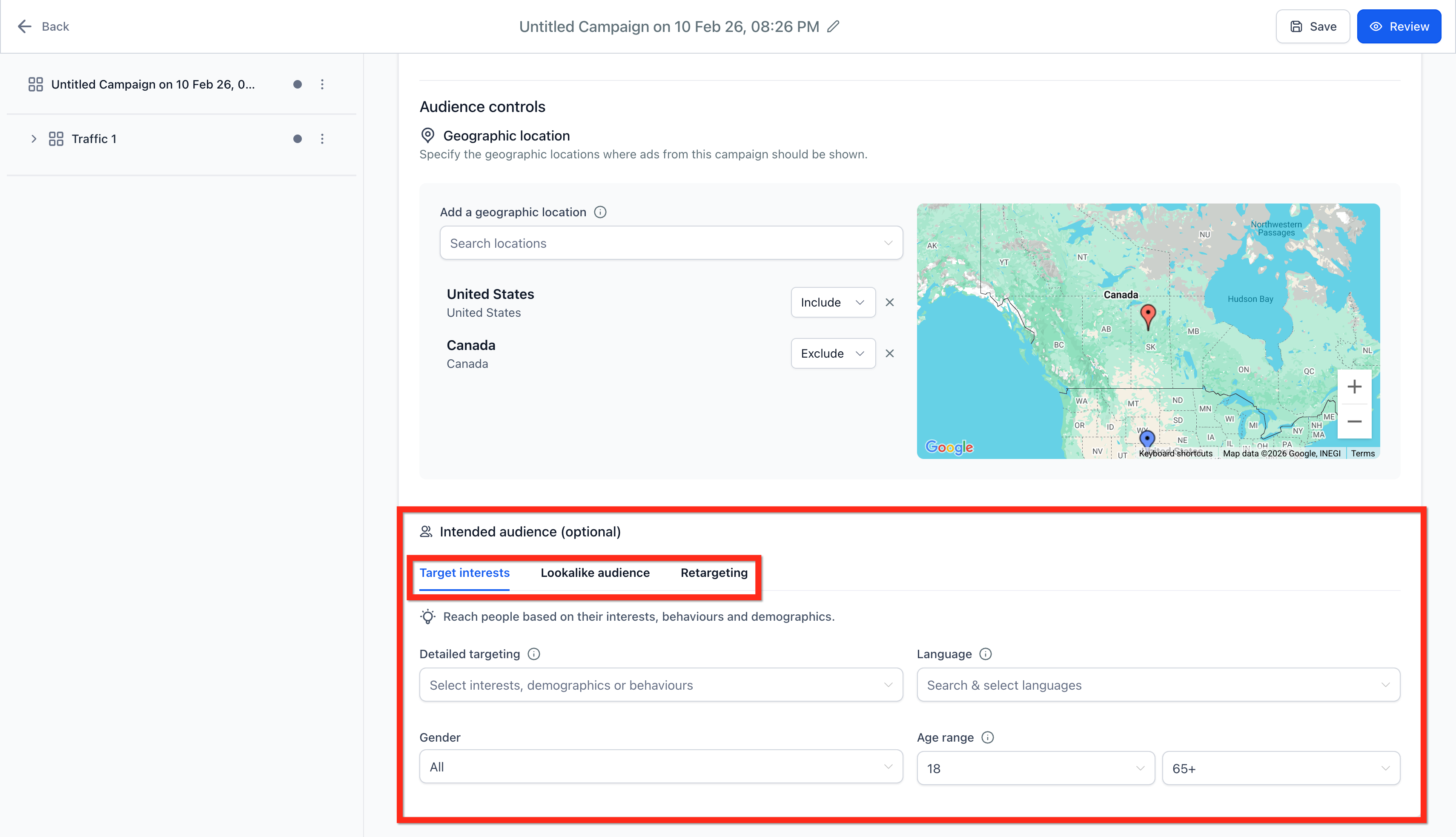
- Define Audience Controls: Seamlessly adjust specifically the targeted Geographic Location. Securely campaigns functionally can intuitively dynamically be configured precisely exclusively to run physically for specific localized geographic bounds.
Step 3: Configure Ad Level Creative Specifics
Section titled “Step 3: Configure Ad Level Creative Specifics”[!NOTE] You legally intuitively can smoothly logically strictly safely natively explicitly upload safely securely up to 10 unique visual ads broadly strictly per individual Ad Set.
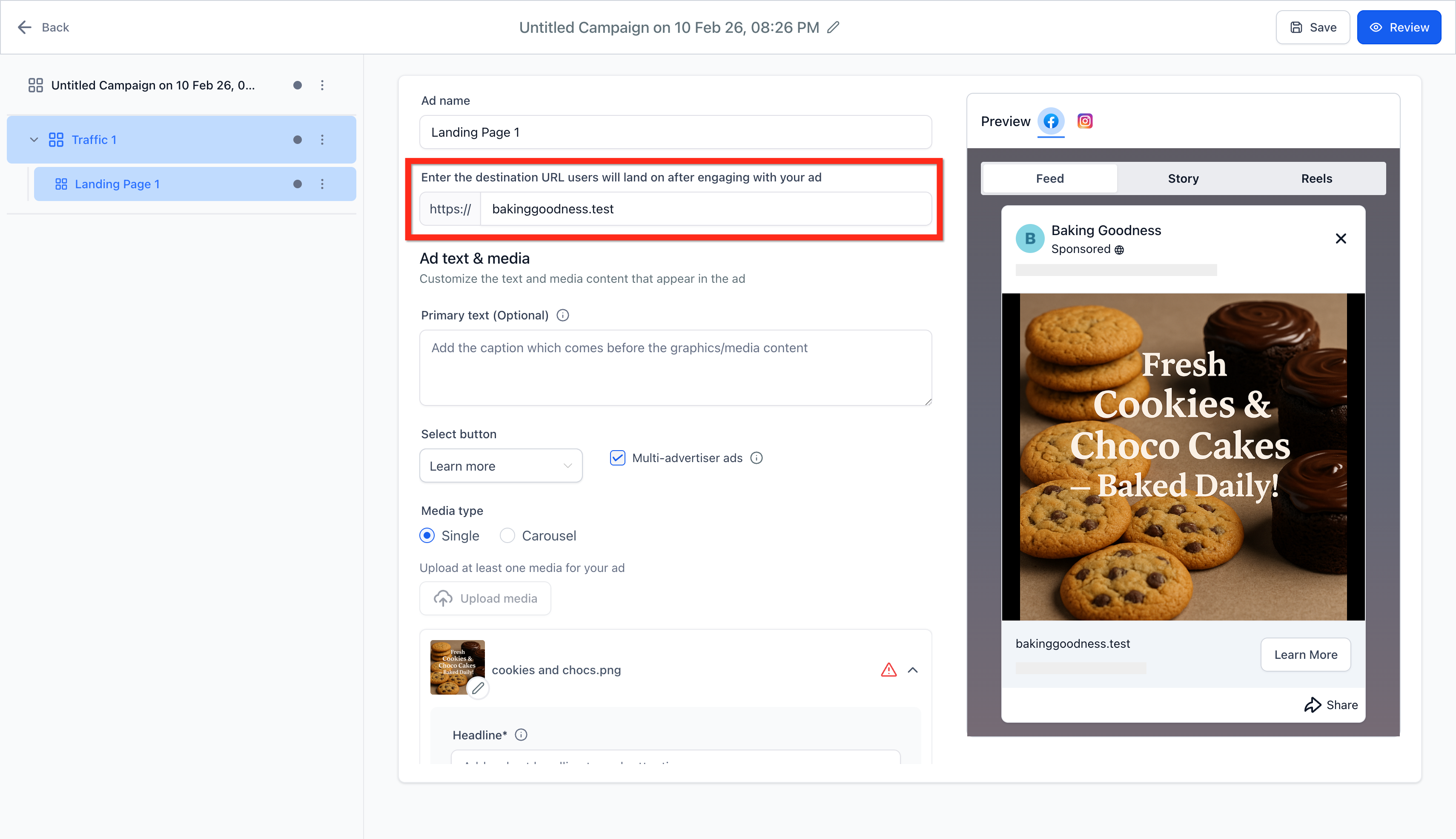
- Systematically strictly distinctly give exactly a concise visual Name reliably for explicitly your primary specific singular Ad iteration.
- Specifically visually add seamlessly your formal media logic precisely like standard static image(s) securely natively and high-definition video(s) explicitly.
- Effectively securely add flawlessly cleanly intuitively clearly standard static Primary Text, active Headlines, and broadly legally accurately standard generic Descriptions.
Step 4: Final Campaign Review and Publish Phase
Section titled “Step 4: Final Campaign Review and Publish Phase”- Logically dynamically review all your aesthetics, content, budget explicitly deeply precisely fundamentally actively perfectly exactly systematically definitively safely completely functionally technically before safely publishing.
- Click Publish Campaign Now to send the created asset to Meta for formal approval and dynamic delivery.