
Restore Deleted Calendars
The Restore Calendar feature allows you to recover deleted calendars along with appointments that were deleted at the same time.
This helps reverse accidental deletions and restore scheduling data more easily.
Table of Contents
Section titled “Table of Contents”Overview
Section titled “Overview”When a calendar is deleted, its appointments are deleted as well. The restore feature allows you to recover the deleted calendar and the appointments that were removed with it.
This is useful when a calendar was removed by mistake and needs to be brought back quickly.
How to Restore a Deleted Calendar
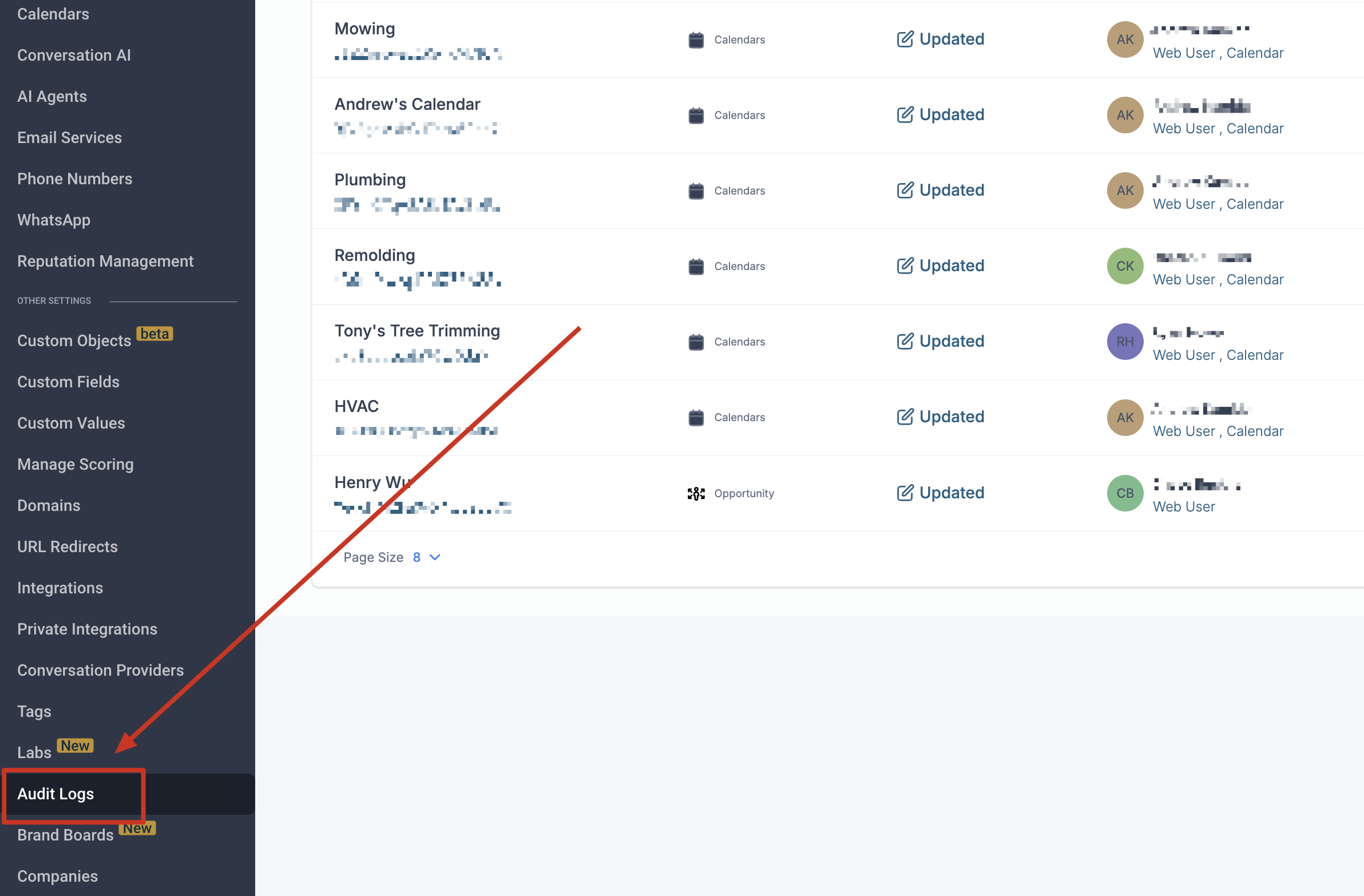
Section titled “How to Restore a Deleted Calendar”- Go to Settings > Audit Logs
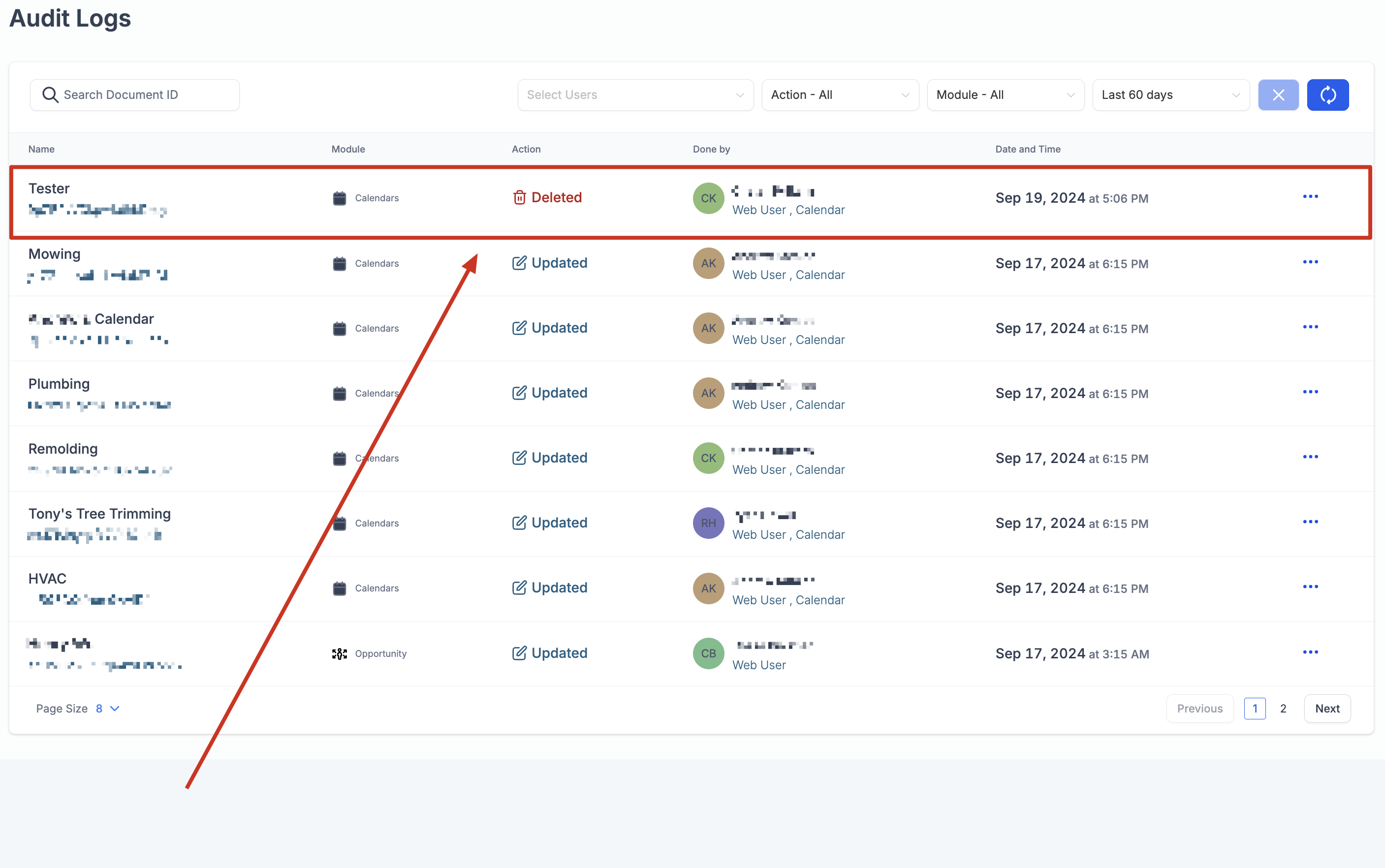
- Find the audit log entry for the deleted calendar
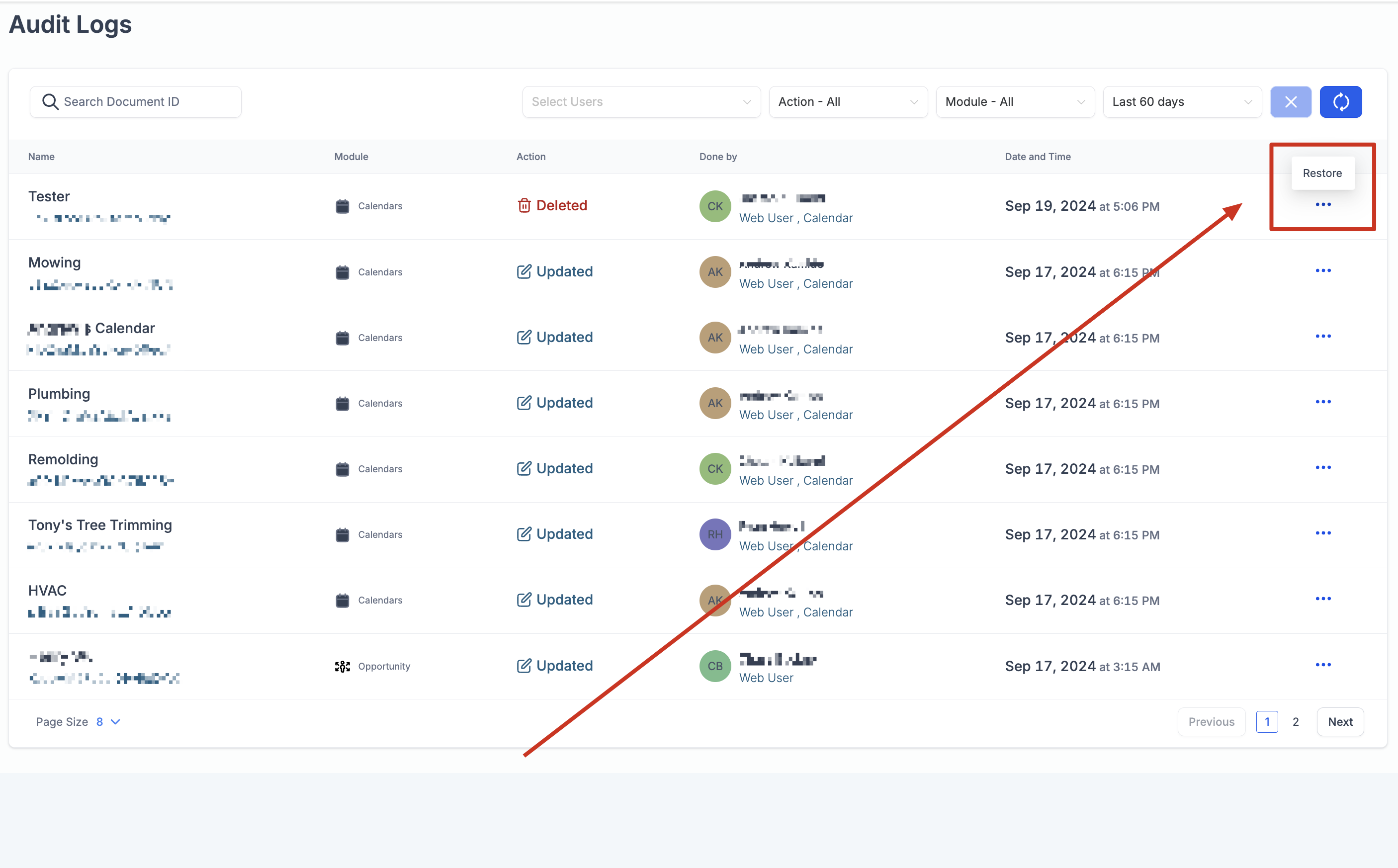
- Click the three-dot menu next to the log entry and choose Restore
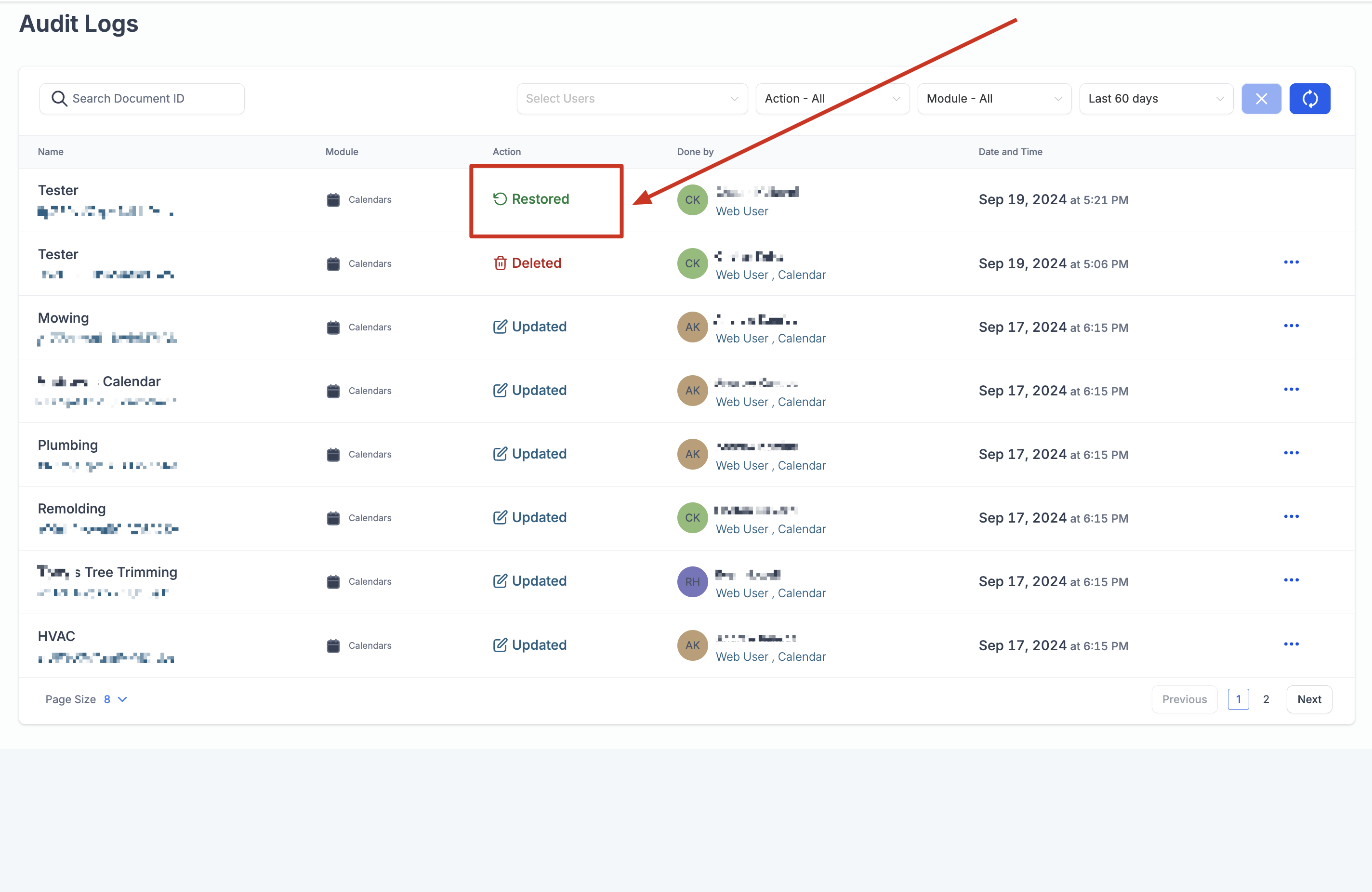
- The calendar and its related deleted appointments will be restored
Important Points to Note
Section titled “Important Points to Note”- If a calendar is deleted, all appointments associated with it are also deleted
- Appointments deleted within ±30 minutes of the calendar deletion time are restored
- Appointments deleted outside that time window are not restored
- Audit logs are retained for up to 60 days
- To avoid data loss, restore deleted calendars within the log retention period
Example
Section titled “Example”If a calendar is deleted at 10:00 AM, appointments deleted as part of that calendar deletion within the related 30-minute window will be restored.
If an appointment was deleted separately at a different time, it will not be restored along with the calendar.
This behavior ensures only appointments removed because of calendar deletion are recovered.