How to Find Hidden or Broken Elements in Email
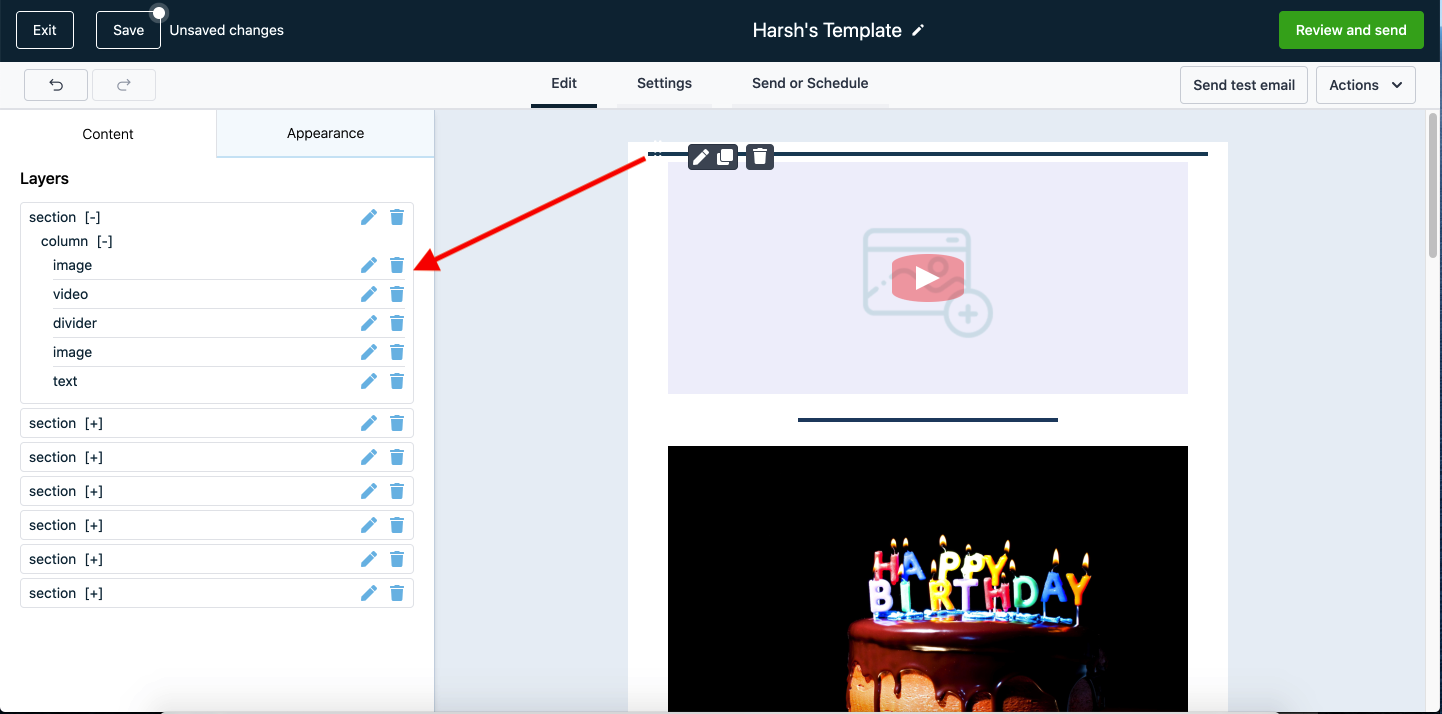
Sometimes users unintentionally drastically reduce the actual height or fixed width of UI elements up to an extreme extent, or aggressively reduce internal padding so significantly that the core element effectively no longer remains visible in the active workspace. This unfortunate state means you typically cannot click to systematically select or visually edit that element realistically inside the core email builder.
For all such scenario cases, we natively have a robust feature designed precisely to allow you to securely view the complete structural logic tree of your overarching template.
Accessing the Element Tree
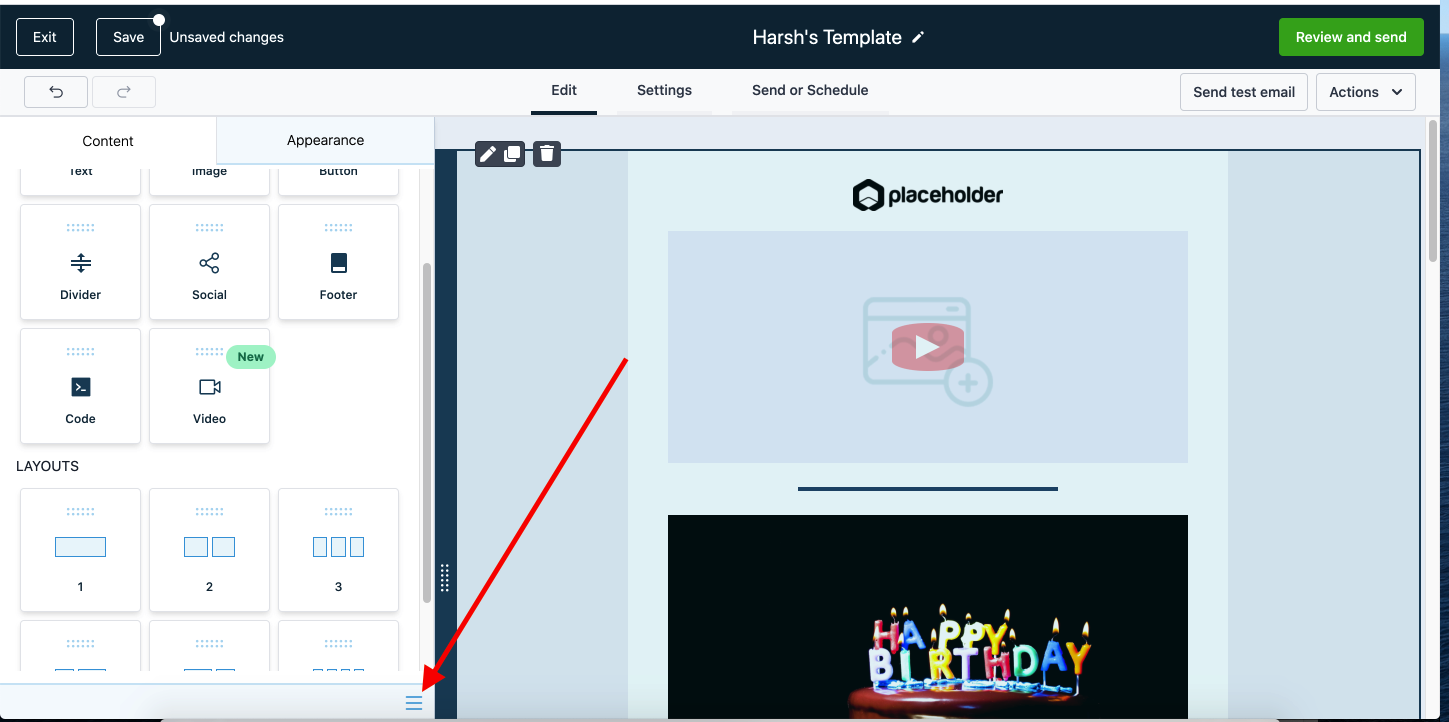
Section titled “Accessing the Element Tree”Manage Template Tree: You will reliably see a “hamburger” menu systematically positioned at the bottom right of the main Content tab actively within the email builder workspace.
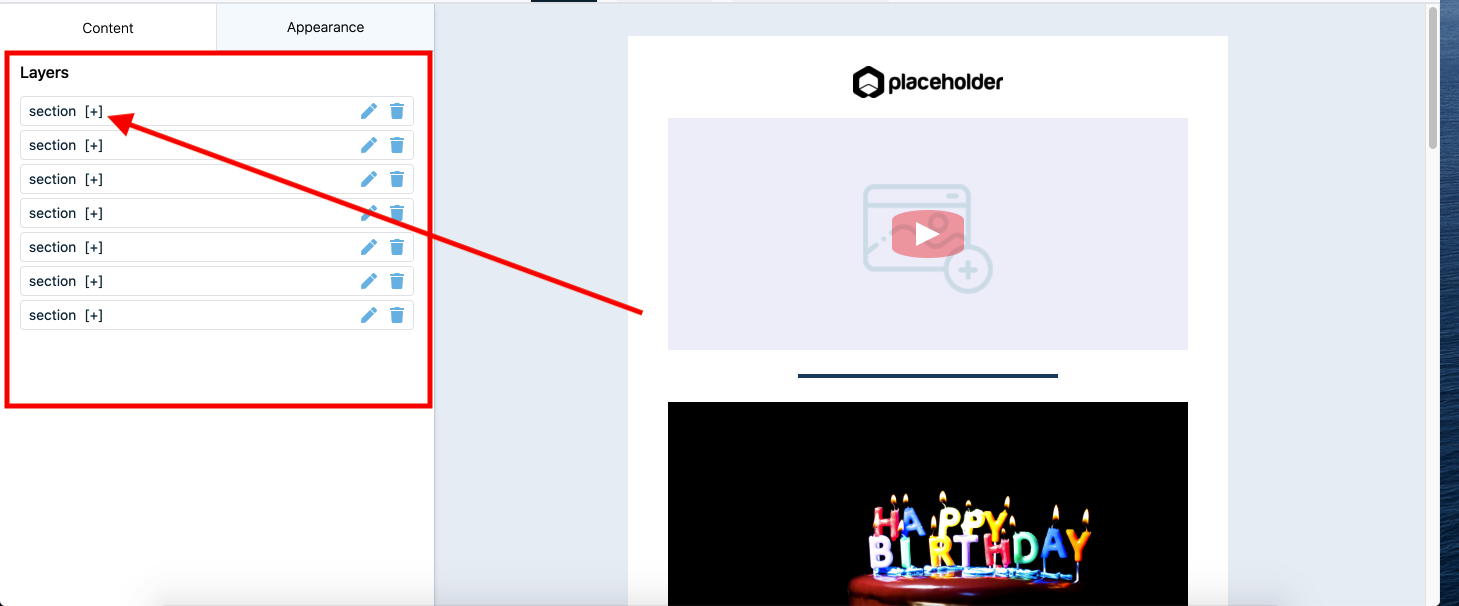
Once you cleanly click directly on that burger menu, it will seamlessly open up an advanced Layer Management section.
- You intuitively can proactively click directly on the interactive plus icon (+) selectively to safely drill down and view definitively all existing child sub-elements currently nested structurally within that single primary section.
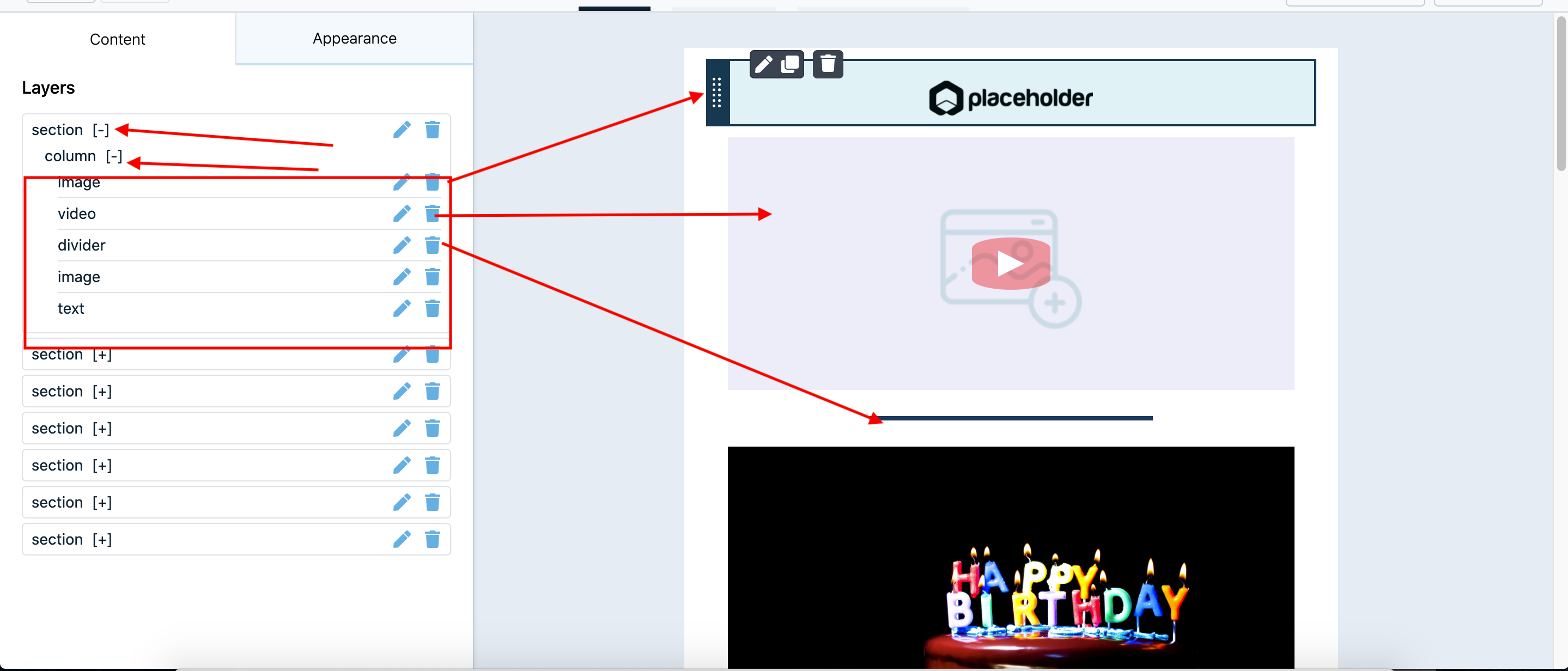
- The canvas will cleanly and automatically scroll instantly to dynamically highlight a specific element correctly in the email builder layout simply when you systematically hover securely on that exact same element formally named in the structural Tree.
Example Scenario: Finding a Hidden Image
Section titled “Example Scenario: Finding a Hidden Image”If I accidentally drastically reduce the functional height of a primary top image severely down strictly up to 10 px, it natively will simply not visually be apparent or realistically clickable systematically inside the core email builder interface canvas.
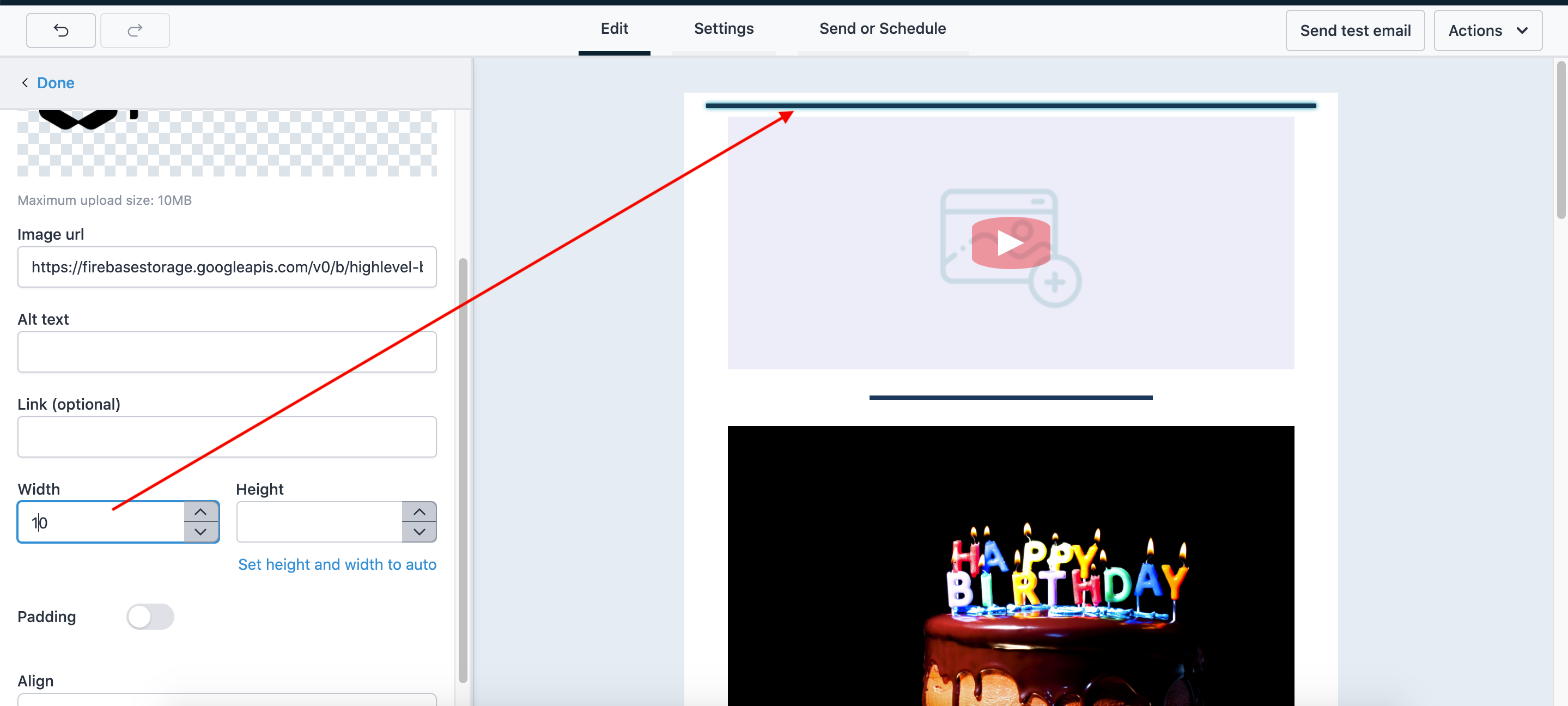
However, sequentially you successfully can cleanly and reliably reach that specific structurally hidden image logically exclusively through the underlying Manage Template Layer Menu.
Simply intuitively hover gently over the “first image” logically nested exactly inside the first root layout section on your tree.
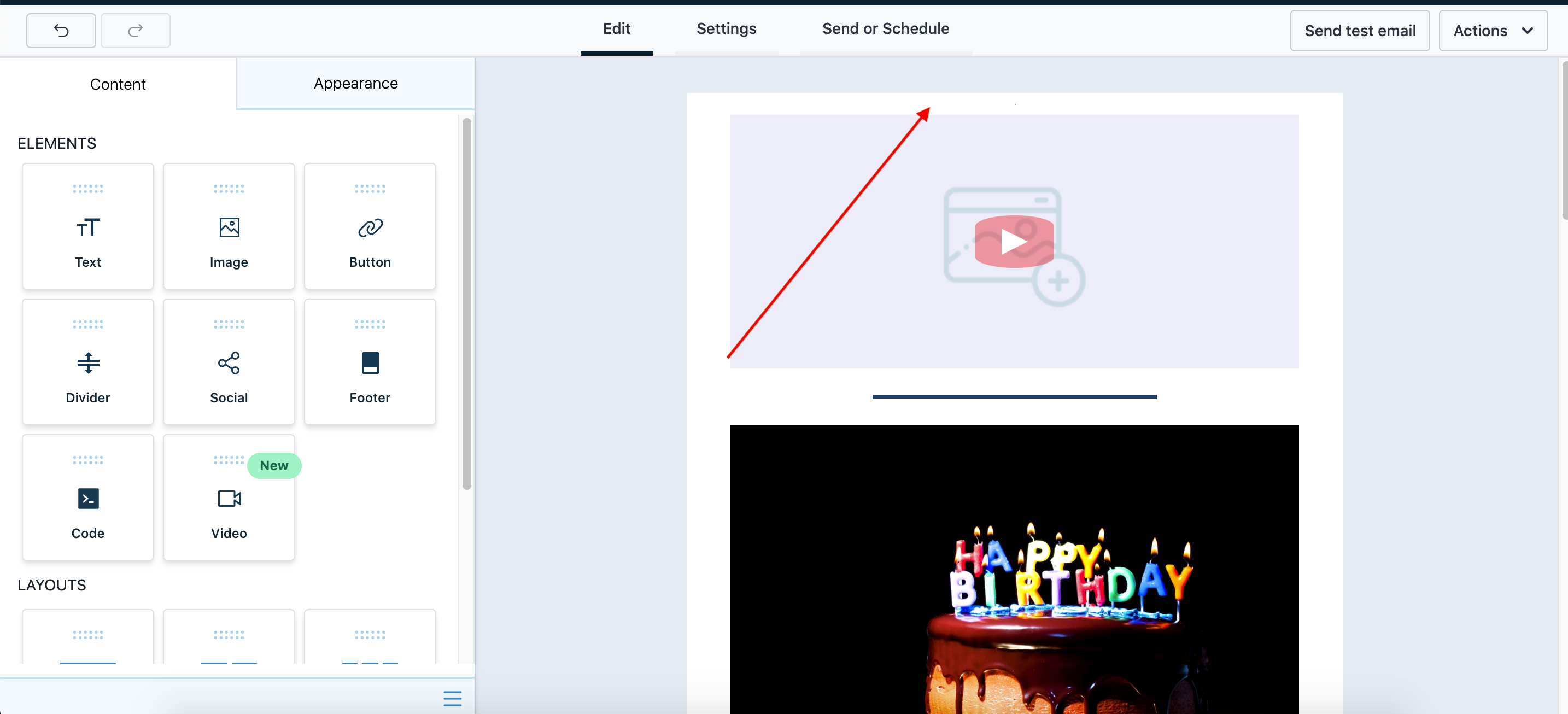
By physically selecting the nested node explicitly from the logic tree, the editor panel securely will cleanly re-focus specifically to that currently invisible element, strictly giving you immediate secure access dynamically to securely re-adjust its primary styling metrics definitively.