
Instagram Reels Publishing Guide for the Social Planner
Want to enhance your social media marketing and expand your reach on Instagram? Look no further than the Social Planner! We’re here to guide you through one of the most popular vertical formats on the platform: Instagram Reels.
With Reels, you can easily create brief yet captivating videos to connect with your audience and boost your brand’s visibility. Showcase your products or services in a fun and creative way, drawing in potential customers and driving traffic to your website.
Covered in this article:
- Prerequisites
- Key Benefits and Use Cases
- How to Make an Instagram Reel using the Social Planner
- Supported Content Guidelines
- Frequently Asked Questions
Prerequisites Before Continuing
Section titled “Prerequisites Before Continuing”Ensure you have the following ready before attempting to publish a Reel:
- Account Type: You must have already connected an Instagram Professional account. Publishing Reels to a personal or creator account is NOT supported through third-party APIs.
- Media Preparation: Ensure your images and videos are uploaded to your Media Library prior to creating the Reel.
- Visibility Settings: By default, Reels publish to both the Instagram Feed and the Reels tab. If you want to publish to the Reels tab only, you must turn OFF the composer option for sharing to the Feed during the creation process.
Key Benefits and Use Cases
Section titled “Key Benefits and Use Cases”- Increased Visibility: Instagram Reels allow users to reach a wider audience. When you create a Reel, it has the potential to be featured on the global Explore page, where people who don’t follow you can organically discover your content.
- Creative Expression: Reels offer a platform to showcase your creativity and talent, helping individuals, influencers, and businesses gain visibility.
- Discoverability: Instagram’s algorithm serves users content based on their interests and engagement patterns. Consistently creating engaging Reels means your content is more likely to be recommended to new, highly-targeted users.
- Business Promotion: Reels allow businesses to humanize their brand identity and connect with their audience much more personally.
- Bite-Sized Consumption: Short-form video is popular in today’s fast-paced digital environment due to its easily consumable nature.
How to Make an Instagram Reel
Section titled “How to Make an Instagram Reel”Follow these steps to successfully queue an Instagram Reel in the Social Planner:
Step 1: Open the Social Planner
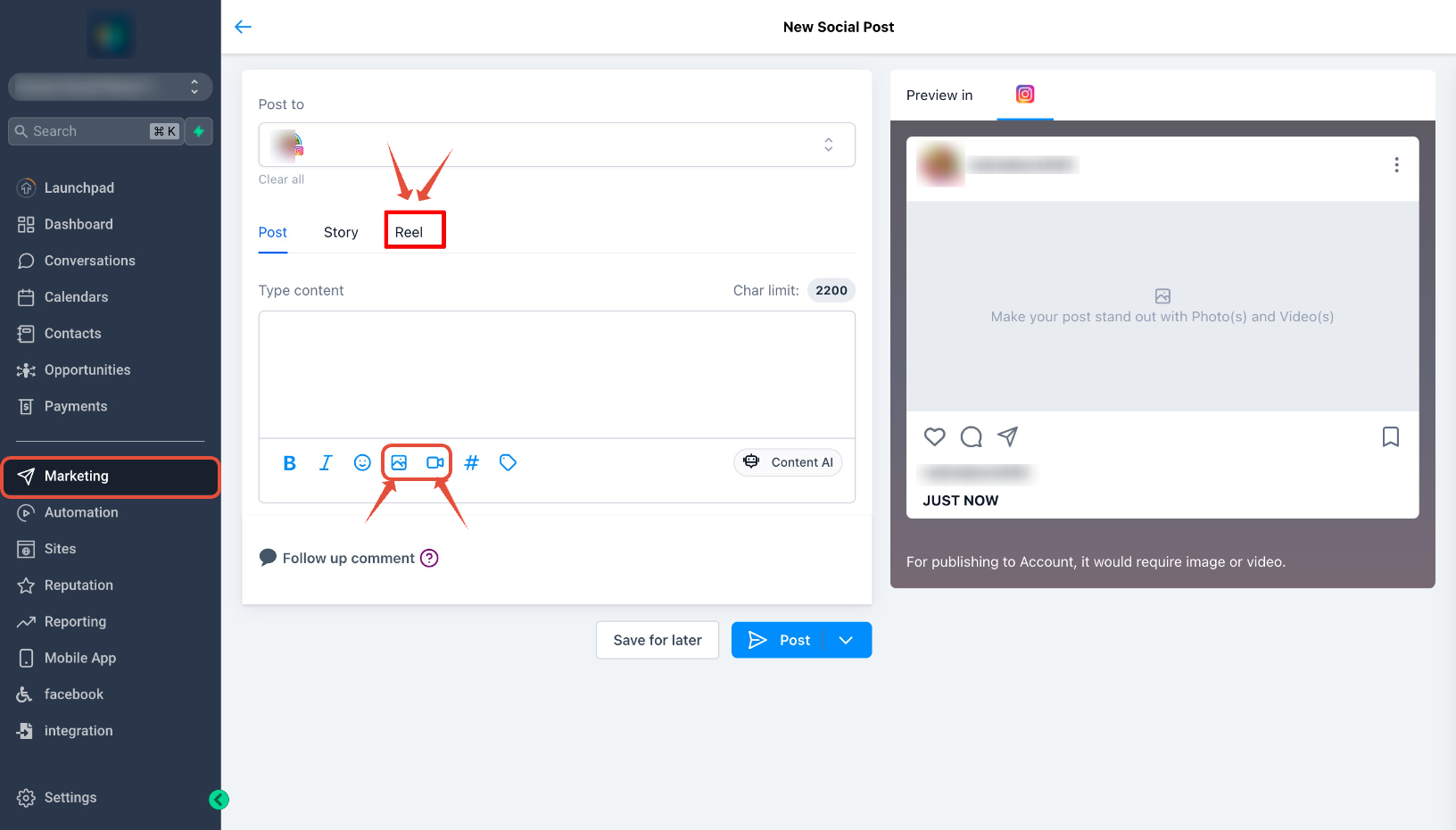
Section titled “Step 1: Open the Social Planner”Go to the Marketing tab on your left navigation menu, open the Social Planner, and click New Post.
Step 2: Select Your Instagram Account
Section titled “Step 2: Select Your Instagram Account”Under the Publish dropdown, explicitly select your Instagram Professional account.
[!WARNING] If you select another type of social account alongside Instagram (like a Facebook Page or LinkedIn), the specific Reels composer will not be visible. For publishing a Reel, you must select only one or multiple Instagram Professional accounts.
Step 3: Select Reels as Your Content Type
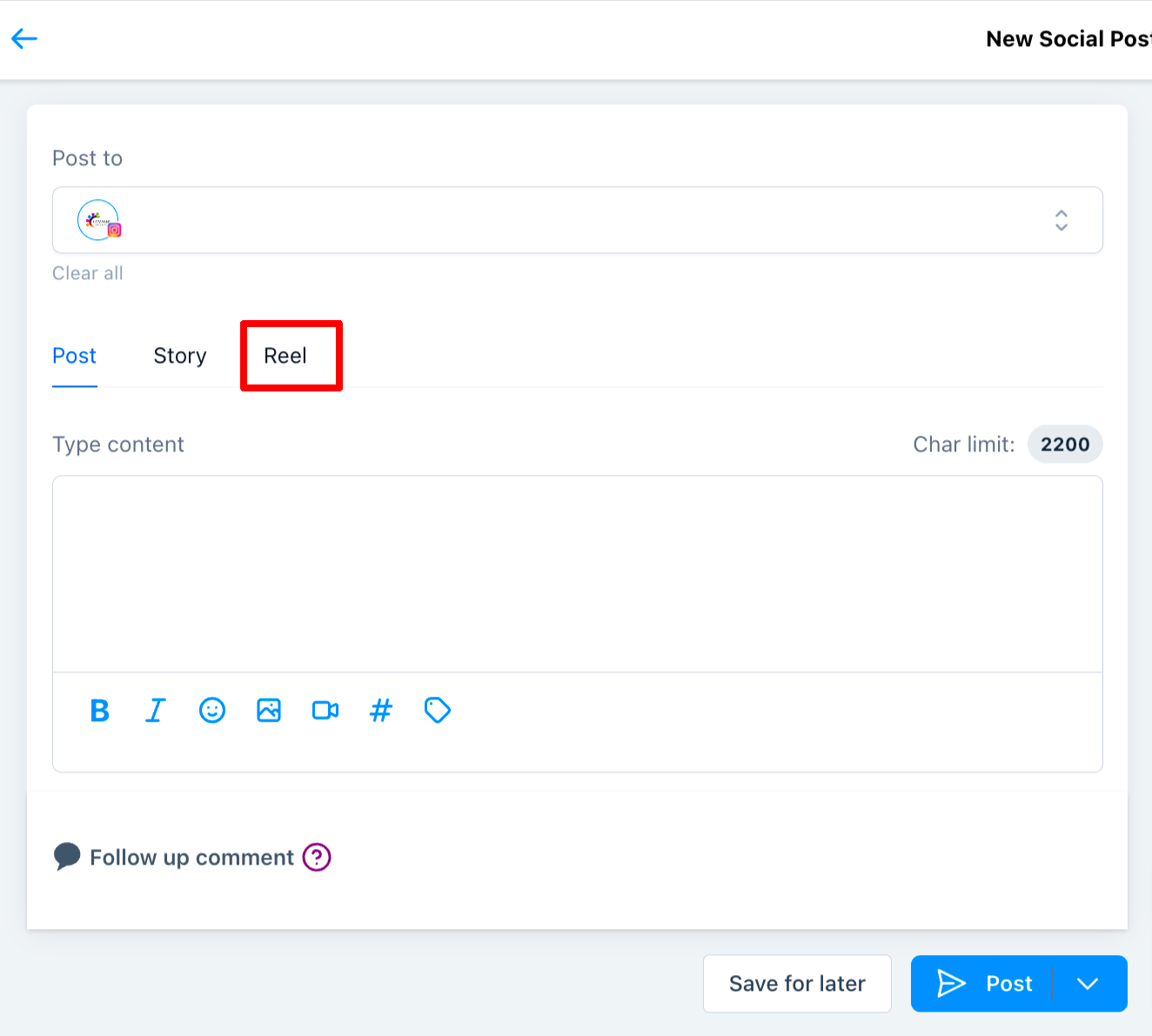
Section titled “Step 3: Select Reels as Your Content Type”Once the Instagram account is selected, choose the Reels tab in your content composer.
Step 4: Create Your Reel
Section titled “Step 4: Create Your Reel”Create your reel by uploading up to 10 images or videos. Add your customized caption and hashtags.
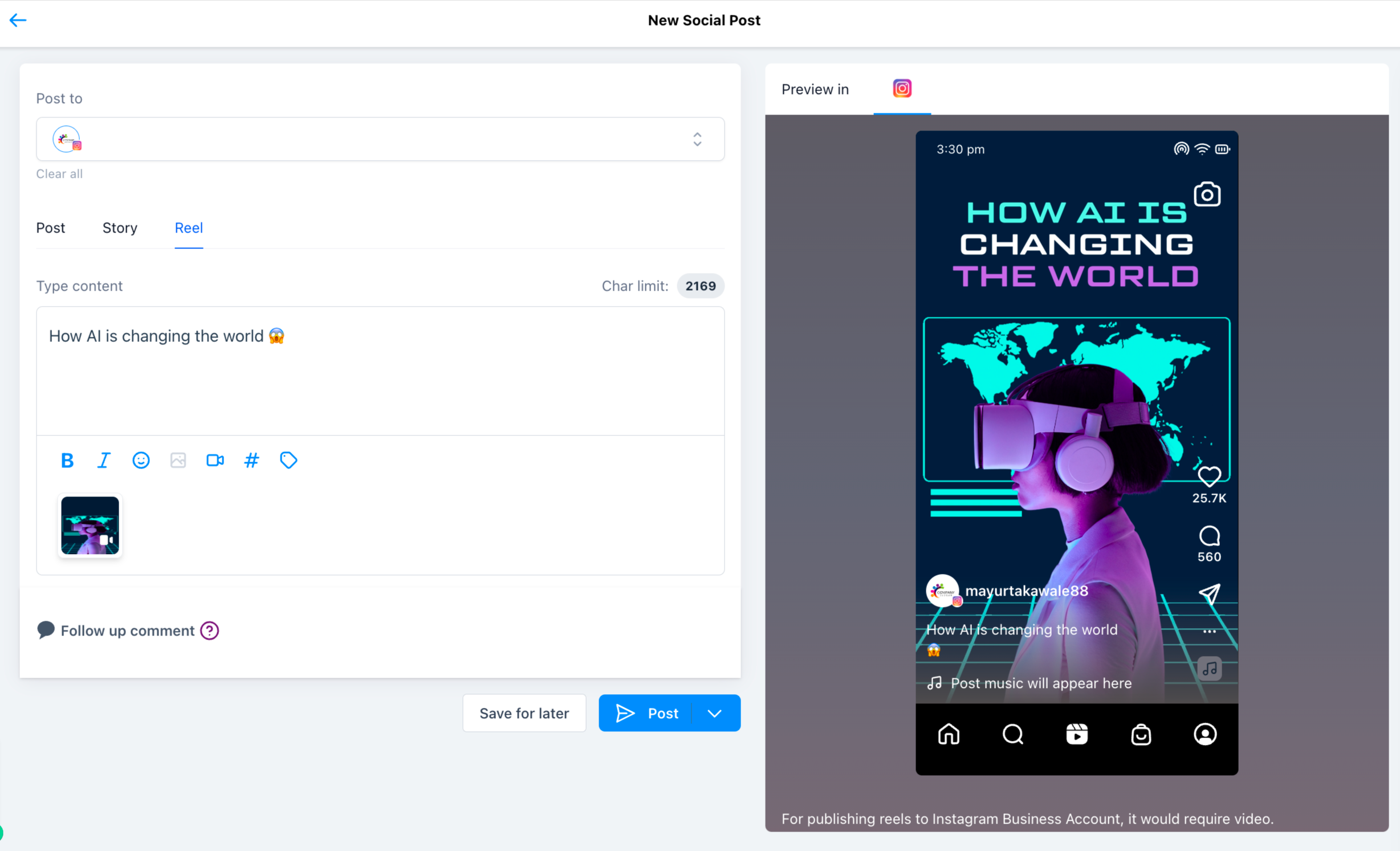
[!NOTE] Instagram’s API calculates caption length based on URL-encoded characters. Because of this, certain special characters and emojis may count as more than one character behind the scenes. Even if the character count appears under the limit in the platform, it could fail in the native app if it exceeds Meta’s hidden URL-encoded limit.
Step 5: Post or Schedule
Section titled “Step 5: Post or Schedule”Once satisfied, select “Post Now” or “Schedule for Later”. You also have the option to save your progress as a draft. If your post was scheduled successfully, you will see your Reel tracked under the Scheduled Posts tab.

Supported Content for Instagram Reels
Section titled “Supported Content for Instagram Reels”Ensure your media strictly matches the following API guidelines:
- Maximum File Size: Suggested video size up to
1GB. Thumbnails must be under8MB. - Aspect Ratio: The recommended dimension is vertical
9:16. Maximum horizontal columns supported is1920px. - Duration:
15 minutesmaximum and3 secondsminimum length. - Format:
.MOVor.MP4files only.
Frequently Asked Questions
Section titled “Frequently Asked Questions”Q: Can I use Instagram Reels with any Instagram account?
No, Reels can only be utilized with Instagram Professional accounts. The Reels composer will not be visible if you select a personal or creator account.
Q: What types of content can I include in an Instagram Reel?
Using the Social Planner, you can stitch together up to 10 distinct images or videos into a single Instagram Reel.
Q: Is there a time limit for Instagram Reels?
Yes. Your reel must be strictly between 3 seconds (minimum) and 15 minutes (maximum) long.
Q: Can I schedule my Instagram Reel for later publication?
Absolutely. After creating your Reel in the composer, you can choose the “Schedule for Later” option and pick a custom time and date for future posting.
Q: Where exactly will my Reel get posted?
Based on recent Meta API changes, new Reels are automatically posted dynamically to both the main feed and the dedicated Reels section by default.