
How to import Email Templates from ActiveCampaign
In order to seamlessly import an email template smoothly from ActiveCampaign, please securely log in to your external ActiveCampaign account before formally continuing with this guide.
Once you have actively logged into ActiveCampaign, please follow the specific export steps outlined below to rapidly retrieve your share link.
1. Retrieve the Share Link from ActiveCampaign
Section titled “1. Retrieve the Share Link from ActiveCampaign”- Click on Campaigns > Campaign Templates natively on the left ActiveCampaign navigation menu.
- The internal Manage Templates page will load and logically list your custom templates. Securely locate the exact template you intuitively want to broadly share.
- Physically hover your mouse carefully over the specific template block and intentionally click the gear icon that rapidly appears.
- Click the exact “Share” dropdown option.
- A “Share this template” modal UI will immediately appear and transparently display your generated share URL link. Safely click the link icon to automatically copy the link to your clipboard.
- Click the “X” strictly to close the active window.
2. Importing the Template into the Design Builder
Section titled “2. Importing the Template into the Design Builder”Importing templates from third-party email providers securely like ActiveCampaign allows you to completely transfer functionality natively into the unified Email Campaigns directory.
[!NOTE] The template structure which actively gets created natively will strictly be assigned structurally as a Code Editor - HTML type email asset.
Steps to Import:
-
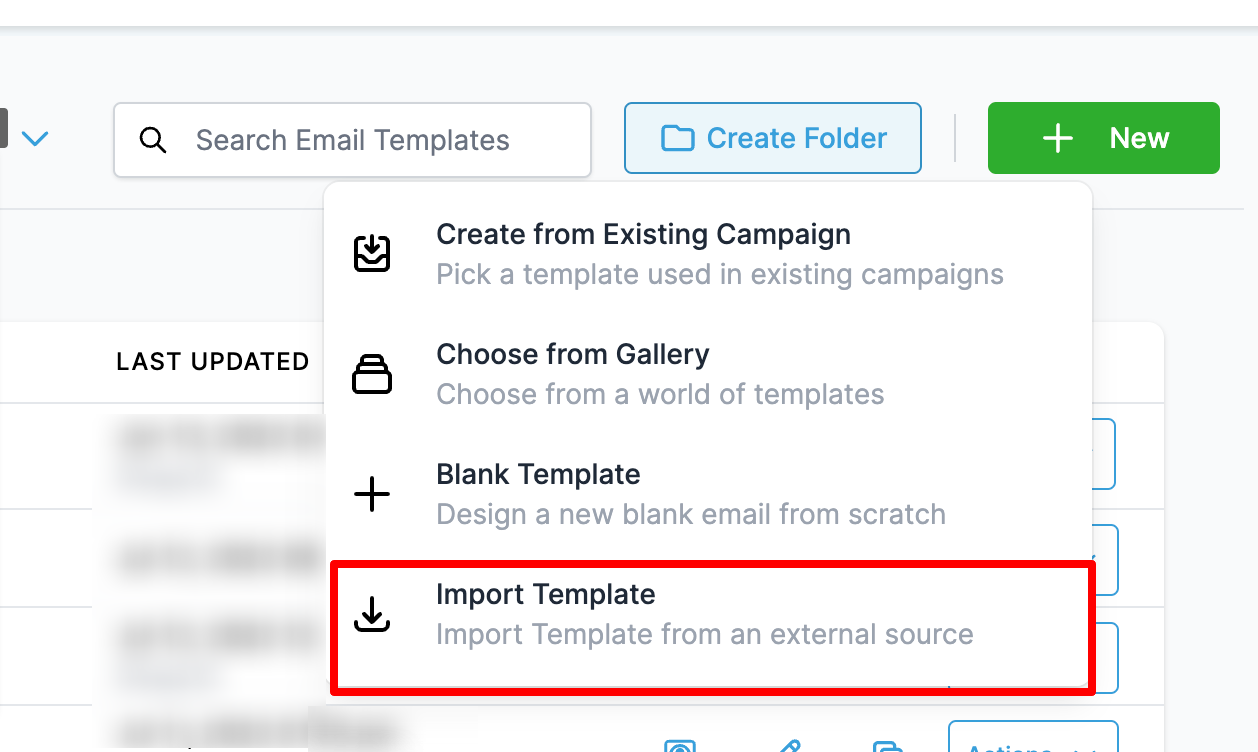
Directly go to Marketing > Emails > Email Templates.
-
Click on the “New” button and strategically select the option labeled “Import Template”.
-
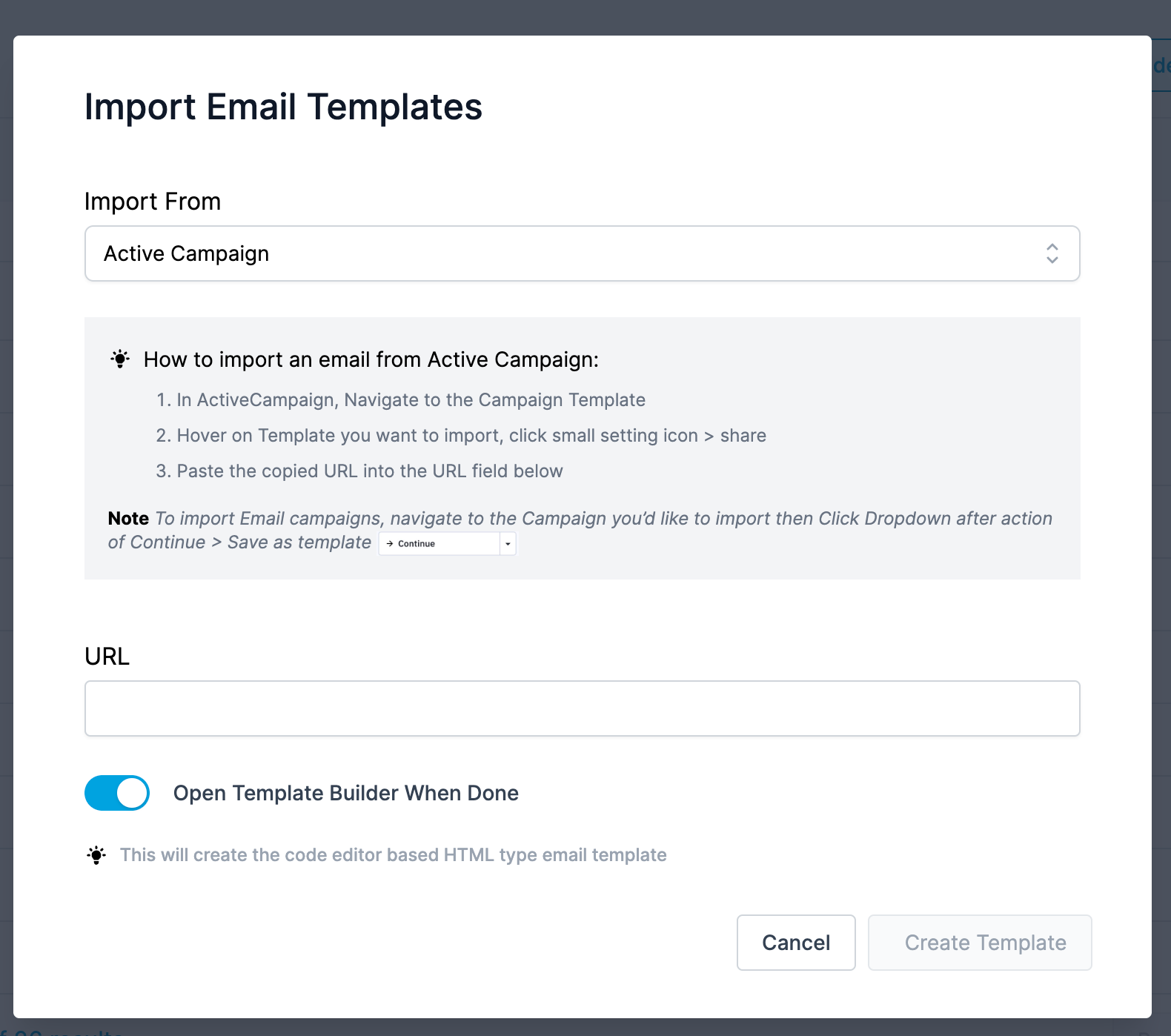
Choose ActiveCampaign dynamically from the import drop-down menu layer.
-
Safely paste the exported ActiveCampaign share URL rigorously into the URL input form.
-
Reliably check the loaded preview of the parsed ActiveCampaign template.
-
Explicitly click Create Template decisively to officially import the ActiveCampaign Email into your repository list.
Frequently Asked Questions
Section titled “Frequently Asked Questions”Q: Do we currently natively support dragging and dropping individual blocks from an ActiveCampaign import?
No. Imported third-party layouts fundamentally default rigidly directly to standard HTML Code Editor blocks to safely ensure cross-platform formatting integrity. You intuitively must cleanly modify the legacy HTML layout safely via the code engine tab.
Q: What exactly will be the official system title of the newly imported Email Template?
The active user logically will strictly be required to manually define and add the functional template name string explicitly after clicking “Create Template”.